The support page states that "If you’re using N1 against our open source sync engine, you’ll still need to create a Nylas ID."
Given the privacy policy says that Nylas shares information with third parties and that they can "make a copy of the entire contents of the applicable email inbox, calendar, and contact book", it doesn't feel like a traditional email client to me.
https://support.nylas.com/hc/en-us/articles/220974588-How-is...
Nylas Pro currently syncs in the cloud to enable some of the pro features not currently offered in Nylas Mail Basic and to provide a much easier to use modern API wrapper around mail data. The cloud syncing infrastructure is open source and you can run it yourself and inspect the code.
All editions (both Basic and Pro) need a Nylas ID. This lets us manage subscriptions for those who want to upgrade. The code is open source on GitHub (nylas/N1). You can fork & run yourself without a Nylas ID. You just won't get any cloud-enabled features.
We never send mail, contact, or calendar data to 3rd parties. We do, however, use 3rd parties for basic usage and performance statistics and self-host as much reporting infrastructure (like Sentry) as possible.
(I build Nylas Mail)
There's a reason that e-commerce sites allow buyers to add items to a cart without sign up, and to "checkout as guest" instead of forcing users to sign up for a Staples (or whatever) login -- you get more conversions.
Even if you prefer the approach of trying to get the information up front, adding a "skip" option that allows users to use the app without cloud sync, etc., then allowing a user to "go pro" later on at least allows people to try the app without a commitment. It's not possible to convert someone who isn't a user because they got scared away by the registration requirement -- better imo, to have a non-registered user, than no user at all.
The only reason I could think of for not wanting to allow this is related to the third party data sharing -- perhaps you plan to sell (obfuscated) user data to data brokers. If that's not in the cards, and you do not plan to monetize your free tier (aside from up-selling to pro), I see no downside to allowing users to use the app without cloud sync in the free tier, with upgrades available within the app.
Updating the privacy policy to be explicit about what data is used for ("basic usage and performance statistics") would do a lot to allay the idea that this data is being sold to data brokers (and not simply to make the app better).
The next step would be to make features like "read receipts" that necessitate signing into a cloud optional. Being able to use the app without having to sign into a cloud platform would be a much more valuable feature for me than any feature such a cloud platform could enable.
Aside: as mentioned elsewhere in the thread, tracking pixel based read receipts in particular, is overwhelmingly only used in spam and newsletters and I personally consider it to be a liability rather than a feature.
(I work at Nylas)
(puts Stallman's hat on) This is not free as in freedom.
https://github.com/nylas/N1/blob/master/CONFIGURATION.md
https://github.com/nylas/sync-engine
Edit: Not sure what the latest update changes yet (much of the sync engine is local now?), but this thread looks like it has the latest info so far.
If you're on the Basic edition, your emails never touch our servers. This was a huge undertaking (it's not easy to port a sync-engine written in Python and designed to run on servers to run efficiently on desktop machines) and is the major reason why we can now offer a freemium service. We're going to put out a blog post soon with more engineering details soon!
Looking forward to it!
I think for this audience, this blog post raises more questions than it answers.
I'm a student, I can't justify $12pm (or $7pm) for an email client however good it is - but I'll gladly use the Basic version and continue contributing; pay a little back that way :)
https://www.dropbox.com/s/s37onyv41w91zi0/Screenshot%202017-...
Cloud now used for "much much much much less" [0] - just tracking and stuff. Sync-engine also (?) runs locally now, I'm not totally clear on how this works but there's apparently some currently closed source stuff to become open 'soon', so it should become clearer exactly what's going on.
There's also apparently some details to follow on their engineering blog [1].
[0] - https://github.com/nylas/N1/issues/3166 [1] - https://nylas.com/blog
Another case in point is slack app. On Linux, it is probably the worst app. :(
When no javascript is running the app consumes effectively no power.
Now that being said there's nothing to stop developers from running lots of expensive code or being non-performant with rendering. This is true in any environment. However; having access to the type of flame-charts and profiling tools that come with Chrome / Electron go a really long way to addressing some of these issues.
I work at Nylas and we've been heavily focused on reducing the amount of power the app consumes. We've still got a lot of work to do, but at the end of the day processing a ton of email quickly is a fairly expensive operation.
In the long run it's possible to offload very expensive work to natively compiled modules. A lot of Electron projects do this and can use Node's native bindings to connect to processes that really need to be fast in native code.
So if Nylas is parsing imap messages then both parsing and rendering difference between a native and eletron app will be big. Fortunately browsers workaround some of this problem by consuming json and stuff - formats browsers can natively parse.
Citation needed. Battery life with Safari on Mac or IE/Edge on Windows is easily twice that of Chrome/Chromium with the same tabs open.
Note: I'm not disputing that the Chrome team has put in significant effort, but rather that the results are anything above mediocre at best.
I guess I found a replacement for Thunderbird.
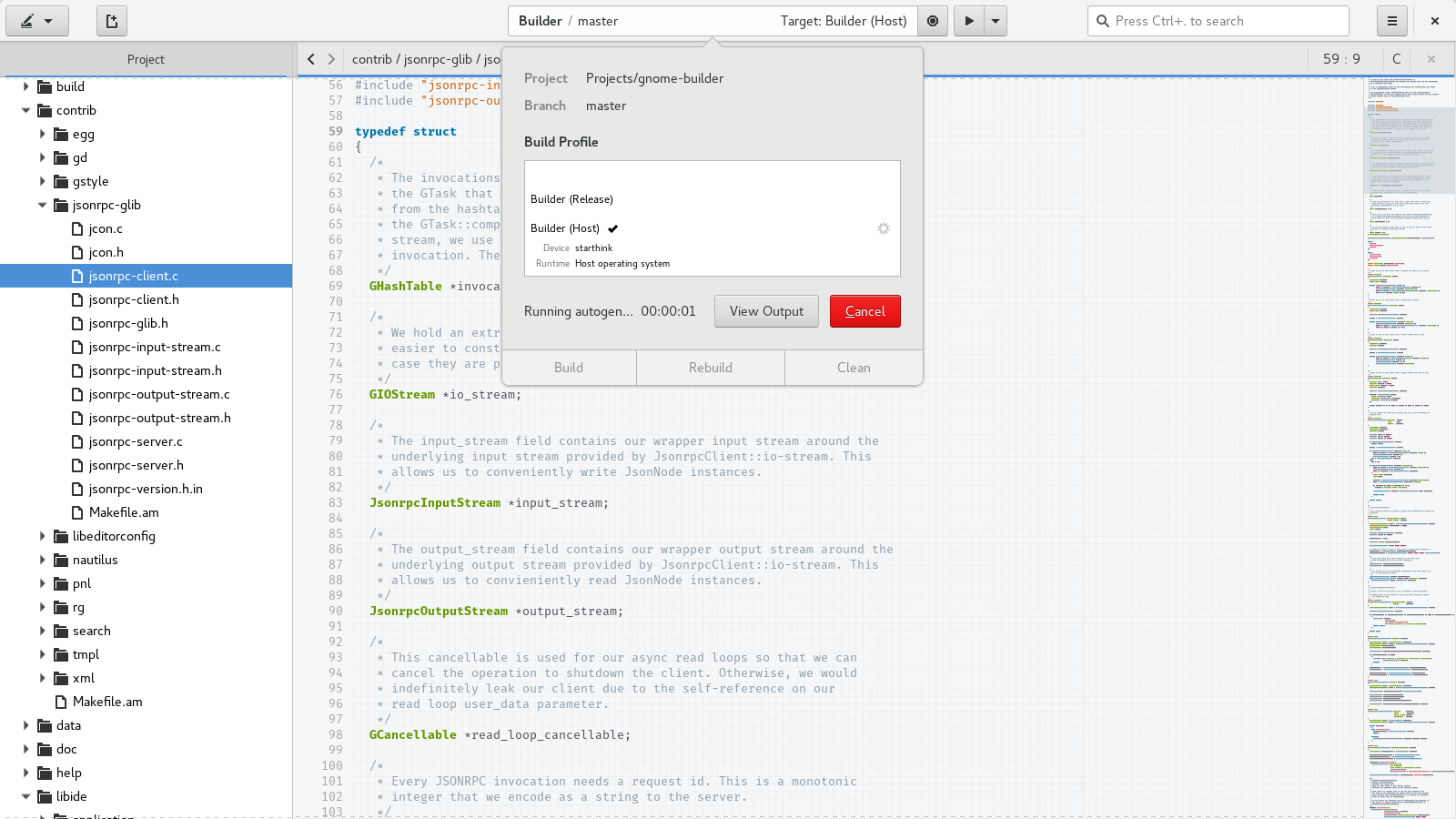
[1] - http://i.imgur.com/0eLhrAM.png
[2] - https://raw.githubusercontent.com/chergert/gnome-builder-web...
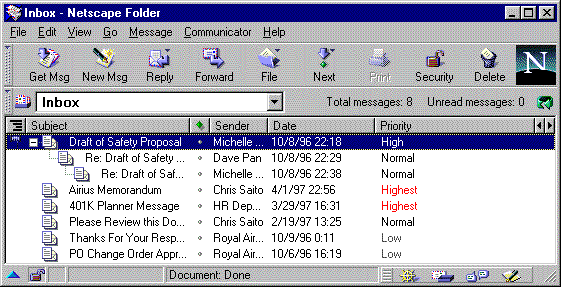
http://www.sabah.net.my/manuals/en/nscomm/images/messwin.gif
There was an amazing mail client for (of all things) FidoNet back in the 90s called GoldEd that was amazing. It had threaded message display, a great editor, pleasant colors, etc. It was tailored to that network, however. Would love to find something like this for console-based email that has the built-in editor and isn't Pine.
I obsessively measure wakeups/s in powertop for every application I use, and the above setup is very good.
If you want to try other things you can look into the mutt-kz fork (which replaces internal search commands with notmuch).
There is also a notmuch curses client, but I find mutt+notmuch superior.
Mu is a notmuch alternative worth considering. Their emacs client is excellent.
Finally, also if you use emacs, gnus is perhaps the most powerful email client ever. Steep learning curve, though. It's a bit different to everything else, as gnus has been built as a news reader. It treats mail as news, but this has some great advantages I think, as long as you can adapt your mindset. Also Org integration.
Gnus is the only thing that might make me switch away from mutt.
One day someone will build a good Electron app.
Every time I try to get someone to explain it to me I'm just met with a bunch of empty answers like "Yeah it just flows really well man". It seems like the JavaScript Everywhere fad came into being solely to fulfill the need of a lot of novices to feel smug and important against more reasonable people, who are just left with puzzled looks.
Its faster than Ruby, Python and PHP by a mile.
It now has async/await.
The amount of work that goes into making it good for front-end apps is amazing.
It has a fairly large ecosystem.
Dynamic / unityped nature lets you prototype quickly.
Tooling such as TypeScript lets you switch to static types when being dynamic just wont cut it any longer. Oh, and TypeScript has generics! (can't believe thats still a differentiator in 2017)
TypeScript can typecheck JSX templates.
It has PureScript for when you want even stronger type-checking and abstraction powers.
It doesn't have: multicore green threads (probably not going to happen) and large ints (coming soon).
Here, have a look at https://facebook.github.io/reason/ and https://facebook.github.io/reason/modules.html and see how many equivalent features it provides using just lexical closures and free-form objects (the TypeScript overlay can also approximate some features of algebraic datatypes via tagged unions and control flow analysis)
Really, the JS sucks meme is getting old, fast. Sure there are more powerful languages and higher quality ecosystems, but its quite far from being "the worst".
Keep in mind I don't agree with the above at all, but this is what a lot of people believe.
That's plainly wrong.
The list of praticals client-side language on the web is actually pretty vast: https://github.com/jashkenas/coffeescript/wiki/list-of-langu....
Of course you can't write a piece of, say, typescript, and just include it in your HTML and call it a day. You need to compile it first, and you need some tooling for that, but it's not different from using a C++ compiler for building a Qt application.
> Every time I try to get someone to explain it to me I'm just met with a bunch of empty answers like "Yeah it just flows really well man".
Well, actually it flows really well indeed :)
I wish exist a native renderer that could use a (saner, better) subset of html/css that fit the same use case, then let us use any better language for the logic.
Probably OpenGL toolkits are the idea, but it way to operate and looks are weird.
The application involved a few components that were going to be quite complex and I wanted many of the basic components to have slight customizations. This turned out to be quite a bit more difficult than I thought.
The numerous issues that I encountered in 3-4 weeks (part time) of native development for MacOS included
* Xcode support for swift is garbage. Highlighting, code completion, and general responsiveness are far lower than even web based editors. Also no refactoring.
* Lack of documentation in swift + cocoa + appkit
* Lack of documentation for swift 3. Many examples were from either iOS (not everything is equivalent) or from older versions of swift (a lot has changed in 2 years apparently). Even basics of naming have changed a good bit.
* There was a lot of magic going on in xcode with storyboards / interface builder. When something broke it was very difficult to figure out what went wrong in the storyboard. The generated code from the storyboards is useless to look through. The difference between code working or not could be me forgetting to option + click a part of interface builder to a certain line in my code, with little or no indication of whether it had been done correctly, or what needed to go where, particularly with certain appkit components.
* Dependancies are a heck a of a lot harder to manage. I don’t know why but I ended up using Cocoapods and it was a total mess.
* Many core UI components requiring me to extend them or recreate them for basic functionality that would be a single line of code/xml/css on other platforms. Components that are common in other desktop applications don’t seem to be included in AppKit (some are including in UIKit though)
I ended up scrapping the idea of doing it natively and decided on Electron + React + Typescript. It was a lot easier to aquire and intergrate dependencies, the development enviroment is a lot faster, there’s no magic connecting my UI together, and it’s actually easier to recreate customizable, native looking components with css + js than it seems to be in AppKit. On top of that I won’t have to build a seperate windows app. Realistically my app currently looks and performs better than any competing app (many of which are legacy java+swing apps) and is a lot faster to iterate on.
Visual Studio Code is very good in my opinion. It can be done.
Heck even my company-id has lots and lots of emails. Jenkins integrations notifications, travis, cron job failures and what not.
I naturally filter both my person and company accounts - so my Inbox is neat and tidy but I think we have reached a point where programmers/system devs/devops people will have to deal with tons of emails.
And yeah - I wish Nylas was better at dealing with this.
If I'm reading emails it means I'm not working or enjoying myself. And I'm not dev-ops, which means I'm not getting payed to keep the systems up and running at night.
I'm also practicing my own extreme version of "inbox zero". Whenever my Inbox reaches 100 emails, I select them all, mark as read, then archive. Information loses value as time passes and I figure that if there was anything important in there that hasn't caught my attention and that I did not answer, then one of my colleagues will surely buzz me about it. Worked fine thus far. And because I'm regularly removing noise, it means I have a higher chance of actually noticing important messages.
Writing this message reminded me that I've got 40+ unread emails in my Inbox. Marked as read, archived, now it's a solved problem.
Never really compared their resource usage since I'm only in one Slack team 99% of the time and even the official app isn't that horrendous in that use case.
Which is somehow funny, since the whole supply chain is controlled by them (App, Browser, OS).
It's nice to see that Nylas has learned nothing at all and keeps violating their users' rights.
Maybe I should finally sue them.
(I work at Nylas.)
We are a very small team building this app. Hopefully you can focus on what's new/good and not what is left to do! :)
If you find bugs, please post them here: https://github.com/nylas/n1/issues/
Call me old-fashioned, but I still think words matter. IANAL so I don't know whether any laws are broken or not by such claims as "worlds greatest coffee", but there are truth in advertising laws on the books in the U.S. https://www.ftc.gov/tips-advice/business-center/guidance/adv... Even if there weren't, it erodes your integrity if you're not being truthful and the faces of the staff in the video clip are a nice balance between disbelief over Buddy's credulity and shame (particularly on the guy in the foreground). But I may be reading too much into this...
(Repeating here that I'm not claiming that Nylas' claim is false; I don't know if it is or isn't).
Have you considered an iOS or Android version client? Why?
Is the backend within Nylas Mail still in Python? Isn't this inefficient, performance wise?
The new sync engine is written in Javascript, which is faster than Python, but the main performance improvements came from changing the architecture.
You could give the application away for free with a sub, while saying to Basic users they gotta pay for it.
The application Emby has the same model.
I think its fair. Me, I don't want more subs (and I'm not a business user so probably not your market). But I'm fine paying a (high) one time fee for an application.
Here's the original discussion: https://news.ycombinator.com/item?id=11553738
Sorry, but that isn't a fair way of describing what occurred.
Nylas is a startup, trying to figure out a business model which works for them.
You're not yet forced to pay. If you had a Nylas ID back when Pro was announced you got a gratis year of subscription. Now, they released a gratis version once more, called Nylas Mail, which is also open source. The backend is also open source.
What this means is that they've adopted a freemium model, and you got approx half a year to still enjoy your Pro license.
I haven't done a feature comparison between Mozilla Thunderbird (which I know is not everyone's preference but was my previous cross platform e-mail client), Nylas Mail, and Nylas Pro. If anyone knows one, please share.
My main concern is the backend being hosted in US by a US corporation. I don't like my data being hosted by US corporations, on US soil, and I recommend non US-citizens/residents to care about this.
Well, uh.. that didn't quite go that way for me.
The Pro 'transition' was a miserable experience that made me stop using it altogether* - it literally popped up asking me if I wanted to subscribe to Pro, and if I said 'no' (thinking I'll just continue non-Pro) the whole app quit.
* Coincidentally I tried it out again (seemed to get a 14day trial even though I'd used it before) a few days ago. There's still lots I like; the Basic tier is exactly what I needed really - last year when it suddenly held my emails hostage (slight hyperbole of course, there were still copies on the server).
My experience was I received a coupon via e-mail at june 15 2016. I upgraded the same day. But I also still use other e-mail clients to access my mail e.g. from my phone. So I would not be locked out of my e-mail if Nylas quit working that same day.
If you didn't, you had to pay.
Nylas Mail Basic was designed exactly with this in mind. It's a free client, syncs locally, and does not include a lot of the Pro features that power users save a lot of time with.
On the flip side, we've designed Nylas Pro (and its price point) for users who are coming from the productivity world of ToutApp or YesWare. The goal with Pro isn't to merely be another Thunderbird or Mac Mail. We're focused on building new powerful workflows for people who live all day in their mailbox, calendar, and address book.
(I build Nylas Mail)
It seems to me that Nylas could make a lot more money by charging $1 a month, since there are likely many, many more people willing to pay $1 vs. $12. Probably more than the 12 to 1 ratio required to break even.
I like Nylas, and think it is a good email client, but their pricing suggests they haven't done the market research and competitor analysis required to price themselves strategically and to be successful.
Do you have any data on this? Would love to see it to help inform the research we already did when pricing the Pro edition of Nylas Mail.
Having said that, I can offer you this isolated anecdote (as worthless as that is): The last company I worked for used to use Nylas, before the pricing was set to $7 a month. When your company started charging for Nylas, we all stopped using it, both personally and professionally, and the general consensus during the transition away from your product was basically, "I'd continue to use it if it were around a buck." We understood the need for your company to make money, but $7 a month seemed too steep to us, so we went elsewhere.
I think it is great if you're able to succeed at $12 a month. I certainly won't begrudge your success. It just seems to me that at the $12-price-point, your competitors are offering much, much more. There are also free options, like Boxer, that work satisfactorily and are still free.
I'm not knocking your product. I liked it when I was using it, and I think you're trying to succeed in a difficult market, so kudos for making the attempt. I just don't personally value Nylas Mail at $7 (or $12) a month, and reading through this thread, it seems there are others who feel the same way; which I would think you'd want to consider as you fine-tune your business model.
Anyway, best of luck to you. I wish you all the success you deserve.
Don't get me wrong, it looks extremely good.
However, I visited the site and immediately clicked on the back button.
I've been using Google Inbox for a few months, and it radically changed how I handle my many mailboxes. It's not rare now that I actually achieve inbox zero.
I would love to see the same amount of innovation that was put into Google Inbox (I think they might have acquired it, though?) in another email client, as I'm always looking to try things out.
In Nylas, I see the same things that make dealing with email a pain: folders, the trash and spam being given the same importance as the inbox, etc.
It's set up to make it a job to keep your emails organized, while you shouldn't keep them organized, because it's just doesn't matter: just reply and mark as done, snooze until you can reply and mark as done, or discard/mark multiple emails at the same time and go on with your life.
Everyone uses email slightly differently. The plugins allow us to build Salesforce integration, tracking, templates, and mail merge for sales people, while offering an entirely different targeted set for other users.
We intentionally "don't move the cheese to far" from existing clients to ease transition. There are a lot of grand ideas for radically different email experiences that fall flat due to their deviation from the core experiences most people expect and need. We instead believe that a handful of targeted features to a targeted group gradually develop into a very different way to interact with email for a very specific use case.
(I'm an engineer at Nylas)
I'd rather lose Salesforce integration, tracking, templates etc. and get the basics right: going through the dozens of emails we get every day.
When we reply to emails we feel like we're being productive, but we're just taking time away from our actual job. If there's no easy way to easily differentiate between low priority and important emails—which Google Inbox does automatically by grouping them and letting you dismiss them all at once—you're not helping me.
Again, the product looks awesome, this is just my point of view I thought I'd share.
Inbox is homegrown, not an acquisition.
(work at Google)
It's what I use, and I've notices a good improvement over the web version (besides the fact that it's in the Dock, with unread count).
There's a helper that takes up about 300MB of memory, but it's stable at 300, never goes up.
Seems to work just fine with a "basic" account.
> Today’s release supports Gmail/G Suite, Office365 Exchange, Yahoo! Mail, iCloud, and FastMail. Full support for self-hosted Microsoft Exchange servers is coming soon.
I am a little curious why this is so limited. All of the above solutions support IMAP, so why is this so specific? I could understand if they're trying to support, say, Gmail-specific features of your inbox, but a provider like FastMail is pretty much entirely standards-compliant, AFAICT.
But I gather they're not using it with them:
> It’s now powered by a hybrid sync engine that connects directly to your mail provider (Gmail, Exchange, etc.)
The Gmail API, [0] for example, is presumably far preferable to using IMAP.
Here's how to do it: http://imgur.com/a/WBdXe
(I work at Nylas.)
Though there's some odd duplication for FastMail from the last update, I am going to file an issue if I can't find an existing one. :D
And thanks for working on open source software!
Which supported service is not already running in the USA and subject to NSLs? In what way is Nylas reducing your privacy?
At $7/month, if this tool saves you 10 minutes a month, it's worth it.
Essentially, we started as a free beta at the very beginning, launched with free trial last year, and now have switched to freemium (with a free trial on the Pro version still there).
Does that make sense?
(I work at Nylas.)
The Nylas client doesn't connect to you mail provider directly, instead the Nylas client connects to the Nylas Sync Engine. It used to be that using this API for this was a couple hundred a year, per account.
Both the client and the sync engine are open source, so you've always been able to host your own.
[1]- https://www.reddit.com/r/privacy/comments/5grsan/do_not_use_...
(I work at Nylas.)
Do you also run apps like Slack or Google Chrome? How does their memory usage compare?
Was this during initial sync (very resource intensive) or at a steady state?
(Thanks for the blog post btw!)
Also if I access my email largely from my phone, would I have any significant advantages?
That's the only feature I want Nylas Pro and it's not worth $12/mo.
(By the way, feel free to open a Github issue if you're encountering problems syncing your IMAP account: https://github.com/nylas/N1/issues/)
(I work at Nylas.)
Disclaimer: I am a Thunderbird developer.
It was to my understanding that development, outside of security fixes, was more or less halted. Although looking at commits this doesn't seem to be the case [1]. While I use and enjoy Thunderbird, I was also under the impression is was more or less frozen/dead in the water/EOL.
For me, I would be super happy if the feature set of Thunderbird were frozen and future updates only fixed bugs and improved performance.
(I work at Nylas.)
> We already sync several hundred terabytes of data for our users and are adding tens of thousands of new users each month. It’s costing us real dollars.
This is now changed with the new architecture in Nylas Mail.
The same happens for me with ProtonMail. I used the basic service but found that the convenience of a paid plan was enough for me to pay.
I was sort of put off by the look of Nylas though, in regards to the lack of a "native" feel. It was convenient, but I was forced into a paywall before I could really get acquainted as someone who isn't a power email user.
This took a huge amount of work behind the scenes. Stay tuned for the engineering blog post very soon!
"The Basic edition of Nylas Mail will remain free forever."
Does Nylas have anything that might convince me to use it? I guess Open Source is a pretty big one, but I'm talking featureset wise.
Maybe a way to submit feedback right from the app would be useful.
1 - any suggestions for an open source alternative that provides email snoozing on linux (that's a big part of my email processing)?
2 - any good guide on how to self host the Nylas server on my home server (I know they have the project on GitHub but the instructions are a bit too complicated for me, although that's perhaps my sysadmin skills are quite low)?