Buy the cheapest Datacolor Spyder5(S5X100). The hardware is same between all the versions and only the software differs. Then get the open source DisplayCAL(https://displaycal.net/) that works with Datacolor sensors and other manufacturers. I calibrate my display once or twice a year. I also use it to calibrate my gaming computer and laptop.
(I went with an LG 32UD99 w/ some similar criteria of decent content creation performance and some gaming - it was reasonably priced, performs well enough, and more importantly, the thin bezels and lack of logos is quite schmexy - will have a hard time going back to anything branded. The LG comes w/ Freesync but I have since swapped out my Vega 64 for a 1080Ti, and as you mentioned, HDR is pretty pointless atm on PCs so ¯\_(ツ)_/¯. LG showed a slightly improved 32UK950 at CES.)
Anyway nice build writeup, didn't spot anything too out of wack on the build-side and the inclusion of the CL timing chart was a nice thing since I've often seen people get confused/mess that up.
As a fellow long-time Mac user forced to migrate (mostly in Linux, but Windows for VR and LR) I liked the part of the writeup on environment/keyboard tweaks. One thing I didn't see was about privacy. Windows 10 is very invasive. I used O&O ShutUp10[1] to go through all that stuff but there are a lot of tools [2] and other considerations [3].
Besides WSL, I've still found Cygwin to be indispensable as there's still system-level stuff that doesn't work outside the WSL (interacting w/ PowerShell scripts and such).
[1] https://www.oo-software.com/en/shutup10
[2] https://www.ghacks.net/2015/08/14/comparison-of-windows-10-p...
[3] https://senk9.wordpress.com/checklists/windows-10-privacy-ch...
I've wondered if one could do color calibration using any ordinary digital camera and some clever software, but don't know enough about how color calibration actually works on computer to figure out if it would actually work.
The idea is that you would have some reference photos of assorted physical objects of known colors. The physical objects are chosen to be items that are commonly found around the house or office, or are cheaply and easily obtained.
You pick such a physical object, place it next to your monitor, and tell the software which object you are using.
The software then displays several images of that item on the monitor. One is the reference photo, and the others are tweaked versions of that reference photo that tweak the colors.
You then take a photo with your camera, showing the images on the monitor and the object itself. You upload that to the software.
The software then compares the object in the photo to the images on the monitor, and figures out which best matches. From this, it should be able to deduce some information about how accurately the monitor is displaying color, and what adjustments could be made to improve it.
Note that this does not depend on the camera being accurately calibrated. It just depends on the camera being consistent, and having enough color resolution to see the tweaks that the software applies to the images on the monitor.
Note also that this should work for more than just calibrating monitors. It should also be able to figure out a color profile for your camera along the way. Then it should be able to print some test images, have you take photos of them, and from those and the camera color profile figure out a color profile for your printer.
But I wouldn't cut corners there and just get a calibration device for about $100 plus a standard color calibration target. Certainly more sensible investment, then the difference between a 2k and 6k rig.
If the manufacturer doesn't discontinue software updates for your latest OS the sensors in the devices themselves seem to use fairly cheap plastic which is susceptible to colouration over time causing the calibration's to drift quite significantly.
It might be more cost effective to just have someone calibrate your equipment for you rather than buying another plastic baubel with questionable longevity.
Given the proliferation of the screen as a photo consumption device, and considering how just about every screen out there has slightly different properties (color temp & gamut, brightness and contrast, OLED vs LCD), what will calibration necessarily accomplish?
I publish a lot of black and white images in part to further reduce the uncertainty of the end-viewer's calibration. Can't get a perceived color cast if there's no color.
Another way to mess it is to buy a glass with "digital lenses" that will filter the blue spectrum.
o_O
Basically, people get rich doing other things and then dive into their hobbies buying all top-of-the-line gear. Whereas the pro started with nothing and learned the basics, so they are able to get much much better results from substandard gear.
Holds across all creative disciplines.
I'm not in a position to travel the world with high end photo gear. (I just recently replaced my 10 y.o. desktop pc case)
...but I am in a position to ve happy together with thise who can.
(And I also have rewarding and less expensive hobbies like learning to fix my stuff and coding side projects :-)
CPU: 2 x Intel Xeon E5-2637v4, 3.5GHz (4-Core, dual threaded, HT, 15MB Cache, 135W) 14nm
RAM: 128GB (8 x 16GB DDR4-2400 ECC Registered 2R 1.2V DIMMs)
Graphics: NVIDIA Quadro P4000 GPU, 8GB GDDR5, 105W, Single-Width, PCIe 3.0 x16,
Seagate 1TB Exos 7E2 HDD (6 Gb/s, 7.2K RPM, 128MB Cache, 512n) 3.5-in SATA
just a quick build i did over at Silicon Mechanics
The dual CPU setup doesn't help Lightroom either -- it's not terribly efficient for multiple cores so I can't imagine it would do any better for dual CPUs. I'm trying to find the adobe faq on the topic I thought I've read about that.
Quadro has some merit if I wanted a 10-bit workflow since I already have a 10-bit panel.. but I did kinda want to dabble in some gaming and VR with this build as a side-benefit so I went with a GTX card.
Overall, with your Silicon Mechanics build they'd probably be closer to a $8000 build. On top of that, a P4000 is pretty much a beefed up GTX1060, which gets smoked by a GTX1080TI if one is going for GPU performance. They're not really comparable builds.
While DT has a bit more bumpy UX, it makes up for that by being more flexible than LR and really fast on Linux with a good GPU with OpenCL support. And there is nothing that LR can do that DT can't.
I.e. you don't need to shell out 6k for new box to make LR run fast. Just bite the bullet and learn another RAW editing app.
If you have thousands (or ten thousands, in my case) worth of RAWs processed in LR, just keep editing them in LR if you still have to. I often hear this as a reason why people don't want to switch.
I switched to DT in 2011. Everything before is LR. I use LR when I get images from friends who use LR and want me to do some advanced stuff for them or when I have to touch one of my pre-2011 RAWs. It is always slow on the same machine, compared to DT, but it's quite ok if you use it occasionally. :)
But even still LR lags constantly working with a small collection of photos from my M4/3 camera. Like I can't scroll through a collection without it hanging.
I assume this is caused by poor GPU utilization, but it's very frustrating whatever the cause.
I shoot with a D3100, whose 14MP is a third of the author's 42MP, but with Darktable, editing RAWs on a Mid-2012 Macbook Pro has been a breeze.
I have not gotten a handle on my photo archive/workflow since switching to Linux, but want to get familiar with DT.
It’s basically non-stories because your OS matters as little as what programming language you use.
Pick the one that works for you, but don’t become a fucking missionary or tie your personality to your brand of choice.
That might work for you and your choices but when you talk to developers whose software doesn't support your choice because "nobody uses it", and there are no native alternatives, you quickly see the fight is real.
The odd bit of platform evangelism is the reason we don't all have to use Windows. It's the reason we have a choice at all.
I find that people naturally tend to want others to be like them.
It doesn't matter whether its politics, religion, OS, camera brand, camera sensor size, programming language, diet fad or whatnot.
Maybe it makes them feel better about the choices they made?
>Pick the one that works for you, but don’t become a fucking missionary or tie your personality to your brand of choice.
I do what I want and you can't tell me what to do!
I think RMS was and is right and computing should not be viewed through a purely pragmatic lense, and I'm going to keep mentioning the importance of foss and copyleft to the future of computing and how it enables freedom for the user until I see fit to stop.
I think OS choice greatly matters. I say this as a senior sysadmin who has had to support all 3 major OS's for over a decade. Windows 10 was the final straw for me and I went completely gnu/linux and haven't looked back since except to feel sorry for all the stockholm syndrome I see in those chained to those ecosystems.
I have been developing Windows software since Windows 3.1 and my first UNIX was Xenix, followed by DG/UX, Aix and many other variants.
Windows is perfectly viable developer OS for C++, Delphi, Tcl/TK, Perl, Python, Java and .NET developers.
Microsoft did a mistake not following up on Windows NT POSIX support, because that is what many care about is POSIX shell utilities and C APIs, the actual kernel is irrelevant.
However now GNU/Windows fixes that problem.
Was it a cakewalk over the year? No. Even today there are times where I'm in WTF mode about something or another (my favorite is when I do an update to the NVidia drivers and it borks my system hard enough I have to restore my X config in some manner or another at the command line because I have custom crap in it).
But I don't regret anything about my 2+ decade decision to ditch Windows.
I did this a number of years ago and never regretted it and dual-Xeon has really helped with DxO PhotoLab and Adobe Lightroom processing time (compared to all the other computers I had access to).
Even years later I still believe that this is performing better than something I could've built myself. I think of computers like cars, in that if you upgrade 1 part significantly for performance (i.e. the engine) that it forces upgrades to everything else (i.e. brakes, chassis, cooling). A pre-built workstation balances all of these things to give one package where all of the potential is achievable.
At the end of 2016 I bought a three year old Dell T3600 with 32GB ECC RAM and a 8c/16t Xeon E5-2670 (Sandy Bridge) processor. I just threw in a modern graphics card (GTX 1060) and SSD, and it's perfect for my needs. Total cost was under €600.
I still have a laptop, so if I'm out I will just SSH in to work.
You'd still get a more RAM support (and ECC at that), heavy workload CPU support, and most importantly a motherboard designed to shove that much data back and forth between the CPU, RAM and other devices.
What I realised with my gaming builds before is that the weakest link was just shifting the data around. The CPU was seldom maxed out, the RAM seldom straining under the workload, the storage not fully saturated... it was all constrained by how these bits fitted together and how the motherboard set the constraints on those components.
e.g. the Core i7-8700k compared to a Xeon E5-2637 v4 https://ark.intel.com/compare/126684,92983 the increased CPU cache, extra bus speed, more memory channels make a difference.
I basically doubted my ability to build a gaming rig that balanced all of the components to give the best performance for the money spent (for the same use-case as Paul)... that could rival one of the big company workstations. And when I looked at the money I was spending, I saw that HP were delivering more for each $ I spent.
In my case I purchased a standard HPZ800 (it's a few years ago!) and replaced the graphics card. It's great for gaming, and really strong for photo work (also have a Sony a7rii) and for video encoding.
Both routes (self-build rig vs workstation) are valid, just curious whether Paul went through those considerations too.
Since I'm wrapping up the last of my iOS client work there's nothing really tying me to macOS any more and a PC seems to provide way more bang for the buck for the things I care about - Android Studio, VS Code, Ableton Live, ZBrush, and a bit of gaming here and there. Apple's hardware playbook for the last few years seems to consist entirely of making things thinner for thinness' sake and making piecewise upgrades harder and harder.
I’ve recently ordered an external thunderbolt GPU enclosure, and I’m hoping I can solve the performance issue that way. But in the long run ... I’m not really sure what I want to run on my next computer. To be honest all the answers seem a bit bad. Macs are overpriced and underpowered. Linux on a laptop still seems like an endless stupid time hole - I had the Ubuntu installer reliably kernel panic on me the other day. And windows ... does windows support smooth scroll yet? Can you turn off the telemetary and pre-installed games in the start menu? Will I be able to install and try out the database or exotic programming language of the week on Windows, or will it be more fighting?
Is it just me or did computers stop feeling better with each generation? When did we lose our way?
I haven't had too many issues with performance. Few crashes here and there. The keyboard is more of an issue for me when dust gets under the keys. I don't mind the giant trackpad as I feel it gets palm rejection right most of the time.
By far the worst part of this computer is the touchbar. It's useless. I can't fathom what Apple was thinking making this required for all higher end Macbooks. The only thing I use it for is the volume slider, and occasionally buffering songs on Spotify. Other than that the ESC key is horrendous and it has no utility for me over standard keyboard hotkeys/fn buttons.
He loves his new one.
Reading comments like this, I can't help but feeling that somebody is missing a trick here: I don't doubt your experience, and I've seen similar comments, but they don't match my experience at all, which is that Linux works with no tinkering. It would be really interesting to collect experience reports from folks like you, to see why there is such a divergence, and figure out what could be done about it. Back in the day, the worst cause of Windows crashes was basically a single problem: the quality of ATI drivers were bad, and once that was clear, it got fixed.
I used the built-in GPU on my desktop with a 4K monitor and outside of gaming, it did not affect the UI snappiness at all. I would suspect that if you had the 15" MBP with the quad core CPU and turned off the discrete graphics that you would notice that the Intel HD graphics 4k performance is pretty good.
However the biggest issue was that when playing a video on Netflix or YouTube (both in Chrome) I would get dropped frames when switching around programs. That doesn't even happen on my 2011 ThinkPad so it sure as hell shouldn't happen on a 2017 high-end MBP!
So yeah £3k on a MBP and it went back after a week as it was just a pain in the ass to use.
Agree on the touch bar. Got myself a USB-C "dock", which does power delivery, USB, and display all in one connector. Truly magic, and made me resent USB-C a lot less.
1. Pass through enough power to sufficiently charge my 15" MBP (not an issue on 13" I think)
2. Have 4k/60Hz DisplayPort port
3. Not get extremely hot when plugged in (I had three, including the official Apple dongle and they all had this issue O.o )
But if ya can afford it, more power to you.
Although it looks like OP does know what he is talking about and gave options for higher quality speakers if one wanted them.
Just the greatest site ever, if you're into building your own PCs. Fun to browse other builds, and then it makes it so simple to put together a system.
Something I noticed is that if the item price can’t be displayed you can search around the item options and enter your own pricing to get a feel of the price of the system if parts would be in stock
That's reminiscent of a 4chan post where the user downloads a program, tries to execute, is then warned by Firefox, but ignores it, warned by the AV Software, but disables it, warned by Defender, and disabled, and finally warned by UAC and disables it, only to get it infected and flame away because Windows sucks.
Over time, and with every new yearly incremental software refresh, compile times on my MacBook getting slower and slower, it started to hurt productivity. So looking at options for new hardware, I realized I could either spend $3000 on a new Mac, that on paper might not even be that much faster then my current machine, or just throw together a PC from components for a bit over $1000 and get a much faster machine.
There is just no good Mac option if you're looking for a simple i7, 32GB RAM, 256 SSD for a reasonable price.
And Windows is fine after tweaking and adjusting dozens of settings.
I’ll just stick with a Mac.
Ryzen and Threadripper is supposed to be a beast for content creation that can use a lot of cores
I recall reading in SoS (sound on Sound) years ago that the big name recoding studios where worried about this back then.
MacOS or Linux also require tweaking to be useful for most people.
Even after tweaking dozens of settings on my Mac, I still don’t like it.
When scowls complain that the Web is crap, this is where you take them to see what the Web could in fact be.
Jekyll, and a whole lot of attention to detail.
At any rate, I'm glad he enjoys what he's doing and shares i with the world, the photography really gives an effect of how he saw it, which is all to rare with people's vacation photos.
The "simple" solution is to run 4K at 32" or larger where you can run att 100% scaling. Unfortunately, if you want a screen with decent color you are adding serious money to get to 4k@32".
It's not perfect and I'll occasionally come across some old utility that was built 10 years ago and renders poorly, but never a commonly used or modern one. The level of inconvenience doesn't even register.
What do you want to use that doesn't work? Please be specific!
But among the "new" and "widely used" apps on my desktop right now that don't scale well (i.e. bitmap scale) are e.g. Skype, McAffee, Cisco AnyConnect (it seems about 50% of the apps on my desktop are not properly DPI aware, but simply bitmap scaling).
That's not the bad part though, I can learn to live with a few blurry bitmap scaling apps (and the odd miniature one that doesn't scale at all for some reason), but the bigger problem is apps that partially scale so they become unusable. Here is a screenshot I just took, of JetBrains DotTrace (a profiler) at 2x scaling (At a laptop with 15" @ 4K): http://prntscr.com/i4tpmb It not only looks terrible, but some things are actually unusable.
The bad thing about that kind of bug is that when an app is unusable, even if it's only one app of 100 that you use, you have no choice but to change scaling or resolution just to do that task which is a terrible interruption, especially for scaling that might require a logout to take effect.
Edit: I don't consider multi monitor with different DPI's a fringe feature, since the high DPI is very common on laptops so any setup with a laptop plus an external screen will often be using different scaling for the laptop screen and the external screen.
Well, YMMV. I have been running 2 x 4K@27 with 100% scaling for a couple of years now, and I am very happy. I don't adjust the default font sizes in my apps either.
FWIW, my screens are between 21" and 27" away from my eyes at their closest and furthest points.
You can always zoom text in web browsers, editors etc when so most reading is fine anyway.
If you have good vision and the screen not too far away it’s certainly doable - but 32 is a pretty big improvement.
Effing miners devoured everything even for twice the price...
A few years back I build my current PC:
- Core i7-4770S (Haswell, so you see its not that new anymore)
- 32GB RAM
- SSD 840 EVO 1TB (not that new either)
- some passive PSU
Last year I added an
- AMD Radeon 460
So the whole thing is completely passively cooled.
So no noise at all and I am pretty happy with the performance. I don't know what 'instant' performance in Lightroom means, but so far my experience with Darktable was just fine (actually, I was wondering why some options have a 'slow' or 'fast' suffix). That said, I am just a casual Darktable user, so I take all my photos in RAW and JPG and view them most of the time in the JPG version, but when I would like to create a photo calendar of some sort I use Darktable to get the most out of the pictures.
The only downside is that hardware doesn't age that good :-/
  $ grep -m1 bugs /proc/cpuinfo
bugs : cpu_meltdown spectre_v1 spectre_v2Actually, I bought the CPU, mainboard and cooler assembled together from mifcom, so they did the testing that everything runs stable and smooth.
Just looked up some other details:
- Mainboard: ASUS Z87-Deluxe
- Case: Xigmatek - Asgard Pro
- PSU: 500W - FSP Aurum Xilenser
- CPU Cooler: Thermalright Macho HR-02 passive [1]
As you can see that cooler is pretty big. The case isn't too fancy but it does the job and venting slots on the upper side. Interestingly dust doesn't seem to be a problem, in fact I never had so little dust in any previous pc.
[1]: http://media.bestofmicro.com/N/G/460924/gallery/Thermalright...
[2]: https://duckduckgo.com/?q=Xigmatek+-+Asgard+Pro&t=ffab&iax=i...
Given that I'm not doing retouching most of the time, dealing with raw files becoming more and more a pain, without an actual gain.
Had anyone else thought about this?
Haven't used a Pentax expect for my trusty K1000 so I don't know if they support that.
This is what I'm doing as well, but the DNG files take 20-30MB of space, even at pathetically low 16MP (/s, high quality 2MP was enough for A4 prints...) resolution, and disk space is not THAT cheap once you want local and offsite backups as well.
Canon, Fuji and Olympus OOC JPEGs also have great reputations.
>> Given that I'm not doing retouching most of the time, dealing with raw files becoming more and more a pain, without an actual gain.
If you're not retouching, there probably is no point for you to edit RAW. I use RAW myself mainly to correct color temp and high iso noise reduction. The noise reduction in particular is useful for me because I prefer to use smaller sensor cameras.
It's very unfortunate that while Intel was still probably the right call for Adobe software, the I/O impact on from Intel's Meltdown patches are going to be significant on that machine. Once it all settles down and is finalized in a few months that is.
As well, the watercooling thing was pretty neat back in at the turn of the millenium. That's when the Celeron 300A and custom machined watercooling was big. I lost interest once CPUs became mostly no longer thermally limited (exception for Intel's current CPUs with the +~18C IHS issues). In general I prefer air cooling because I tend to always go for simplicity. A fan on a chunk of metal is pretty easy to troubleshoot and repair upon failure and reliable.
I did get my 80's form factor desktop again. I built a Ryzen system[1] back in March 2017, the first new computer I put together since 2008 and I love it. I get by at least.
[0]Back in the day, horizontal desktops were referred to as desktops and towers were towers.
> Watercooling
Watercooling addicts will try to argue that you can achieve a better cooling performance than with aircooling. The truth is that watercooling is at best only 1 or 2 degrees cooler than a proper aircooling system, or even worse in some tests. Then they will argue that watercooling provide a better performance/silence ratio, which also falls short when you consider that top aircooling systems are basically dead silent. You really don't want to deal with water in your PC (even with all-in-one systems) for nothing to gain.
> Not using a calibration device
I don't even understand how you can come up with the idea of writing an article about building a PC for photography/video editing while you don't already use and don't even plan to use a calibration device. The point is not even if you plan to publish, print or whatever, what is at stake is the way you view your own images. And there is ABSOLUTELY NO SENSE in buying a top of the line monitor if you don't calibrate it.
> Buying the best performing components
For 60-70% of the price of the top of the line product, you will get 95-99% of the performance of it. The same best performing product will anyway be "obsolete" (compared to the new best performing product) in a couple months and its price will drop 20-30%. This has always been true and will always be true for any PC building. This is even more true for an editing station since the top of the line will not even give you the 1-5% performance benefit you should expect.
> Buying a gaming video card
Particularly the top of the line. Your editing software will never use the processor and the memory that comes with such a gaming video card. And only pro cards will provide you 10-bit workflow, which is what you need if you bought an editing monitor with 10-bit panel and 99-100% Adobe coverage. You can buy an entry-level pro card, it will be more than enough for Lightroom/Capture One/Photoshop/Premiere/etc. IF you don't buy a pro card, then why do you buy such a monitor?
> Bothering with huge overclocking or with RAM latencies (!)
I agree it's quite easy now to do some overclocking, but you should not aim for the extreme. It's your work machine, you want stability.
> Delidding your CPU
What?! Just don't that. Let's be serious a minute.
As for the gaming card - it's not top of the line (that would be Titan Xp and Titan V) - but yes it's very high-end. So why did I opt for that? Why not? I do a ton of 4K gaming and VR as well. Definitely not the primary goal but a nice side benefit. I mention some of the games I play in the setup section.
As for the pricing - obviously monetary concerns were not much of an object with this build but the price of my graphics card has doubled since I purchased it. And RAM has gone up another $100.
But yes - it will get outdated in just a few weeks. The benefit of the PC is that I can just swap out an upgrade to the next high-end thing over a weekend when I want. I already did that once - this build started out as a 7700K cpu/mobo and I swapped them out for an 8700K before publishing this.
I'm not saying it's not an improvement, I'm saying the improvement is marginal, meaning it's not worth it.
> I do a ton of 4K gaming and VR as well. Definitely not the primary goal but a nice side benefit. I mention some of the games I play in the setup section.
I think that's my point, it's more a gaming/overclocking station than an editing workstation. The article is fine and well written from this perspective.
Oh, and a small bonus for you: you should move your cpu watercooling radiator from front to top. In your configuration your radiator is basically heating your whole computer, including you graphic card. Since the graphic card is warmer and usually louder, this is not what you want.
Regarding your LR benches any ideas why your 7700K setup was so much slower than your iMac and MBP in Lightroom? Seems odd how much faster the 8700K OC is...
On a related not I ran a similar test comparing a 7700K build with a GTX 1070 vs a maxed out Macbook Pro 2015 15". The Macbook Pro was 25% faster which is bizarre given that the 7700K is ~30% faster in single and multi-threaded performance.
As for delidding and water cooling, while yessir, water cooling doesn't normally offer much benefit, that is because you are still cooling with ambient air. If your processor overclocked, you will likely see larger improvements with water cooled. And for the i7 8700k, there seems to be quite a lot of anectodal evidence so far that it is difficult to keep cool at 5ghz+ is difficult without delidding.
I am in the process of designing a new dev rig and in the past, I have always stuck with stock speeds. But the ability to overclock 6 cores from 3.9ghz to 5ghz seems worth it.
And you can purchased pre-delidded, guaranteed, and tested for stability CPUs from various reputable vendors online for an upcharge.
> I couldn't quickly ascertain how each slot was identified in the UEFI and I didn't want to mistake installing Windows on the wrong drive. To solve this I only installed the SSD under the heatsink first and would install the other one after I had Windows up and running.
I've found this to be the best way to install Windows whatever the circumstance as it will often install the bootloader on whatever the BIOS says is attached to slot 0 and then the rest of the operating system to the disk you specified.
By only having one disk installed you save the hassle of sorting it out later.
(I don't really do that much fiddling with the photos though).
The photos are actually stored on my Linux filesystem and provided to Windows via VirtualBox's file sharing feature.
And then I just rsync the photos to a backup computer.
I don't do anything that intensive though, just brightening images and tagging which seems to work fine for me.
I recently upgraded from a 5d2 to a Mark4, and the integration with the iphone made for an interesting workflow. As I shoot, I take mental notes about what type of adjustments I'll make in post processing, and with Lightroom Mobile, I was able to take a handful of shots, and share them via social media.
I'm considering switching a workflow from my heavy duty gaming rig, to using something like a Surface Pro.
Why did you go with a water cooler?
I think, personally, I would prefer a 3K machine that I replaced twich as often.
"You need to learn to see and compose. The more time you waste worrying about your equipment the less time you'll have to put into creating great images. Worry about your images, not your equipment."
http://www.kenrockwell.com/tech/notcamera.htm
You can guess which category I feel this fellow falls into.
I hope he got a great deal of pleasure building his system - it does look very impressive (if not downright pretty), but it doesn't make me think any more, or less of his photography.
I started out with just the cheapest camera I could get my hands on, including working on my high school's yearbook staff in ~2000. Now that I've been working for over a decade and have some resources I pick up a few gadgets here and there for my hobbies.
I'm still a film guy when I want to go make pretty pictures - though I've taken some killer stuff on my iPhone of all things - I dont have a good digital camera, so all of my really good cameras are still film bodies - nothing to me beats the Ergonomics of an EOS-1
At the risk of giving myself the hug of death - https://leho.blastpuppy.com/~aloha/photos/
His entire site is dedicated to cameras and lenses, virtually nothing on actually composing or photographic technique. Most of his photos are generic family holiday snaps, particularly his newer photos.
Atom text editor (Give vsCode a try too). Also look at FileSearchEX, the proper way to find files.
Except securing it with Software Restriction Polices.
I am always enamored with the simplicity of one's living space being directly proportional to wealth. I try hard to not have much stuff, but my living options are seemingly always going to be working class style places with pretty much the antithesis of what is apparent in this photo.
Of course the camera lies, and I shouldn't compare my insides to some else's outsides. There's probably a new puppy being paper trained just behind the camera, or a bunch of pocket change and random pens in a pile usually on that desk, but I do lament that I may never have such a simple, clean, and uncluttered living space. The spaces I may ever have will have things like unvaulted ceilings, windowsills, trim, standard door size passages between rooms, probably carpet heh...
I do wonder if such things prevent clarity of thought.
I cannot see a reason why that particular comment is dead so I guess it's based on the posting history.
The sheer amount of useless shit that I threw away was astounding.
I guess I value time more now? Honestly I may have to sit on your question a while and maybe it was one that was lingering when I posted my comment.
Are you using your own custom made jekyll site?
Just curious about how you designed your blog and what components you use
I have found it does a better job of handling the Sony files than just about anything else. Also is GPU accelerated.
My experience is based on the Sony RX10 files, and a friend of mine who uses it for handling his A7Rii files.
A free version is available for use with Sony RAWs; or you can upgrade to the full version of the software at a low price. Just a happy user, I have no financial interest in the company.
So I keep exporting jpegs that look like garbage until Adobe decides to have decent support for the Fuji X line.
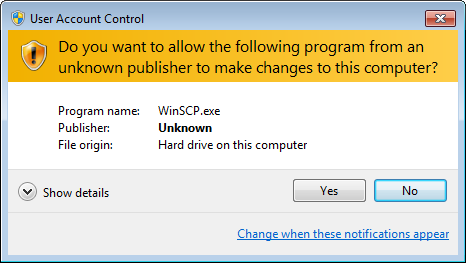
The problem with UAC is that 90% of users have no idea when it would be necessay to click "no" when that dialog box shows up. For them, it's the box that always annoys you and you have to just click "yes" to make it go away.
I understand what it's supposed to do, but have had it disabled since it was released, and have saved hours of task interruption it in exchange for no other problems.
When UAC is disabled, anything can run as administrative, but without confirmation or any real sign that it is, so a bit of a risk. Though not quite on the level of running Mac or Linux as root (Windows has another higher level priority, System), it is close to it.
IIRC it also disables some security features of Edge, if you use that. It might also disable some security features in Office, which is a bit more of a concern.
Also, OP should take a look at VS code. It integrates very well with GNU/Windows.
Water-cooled machine should be a custom loop. It's a lot more hassle, but that's exactly why it's interesting. All-in-one systems are just like traditional air systems with big radiators, the only big difference is that you can move the radiator around.
If you have build custom loops, you should really understand the difference. AIO are much closer to traditional air coolers, than to custom-loop water cooling.
Keep an eye on VRM btw. Point of failure in your system right now.