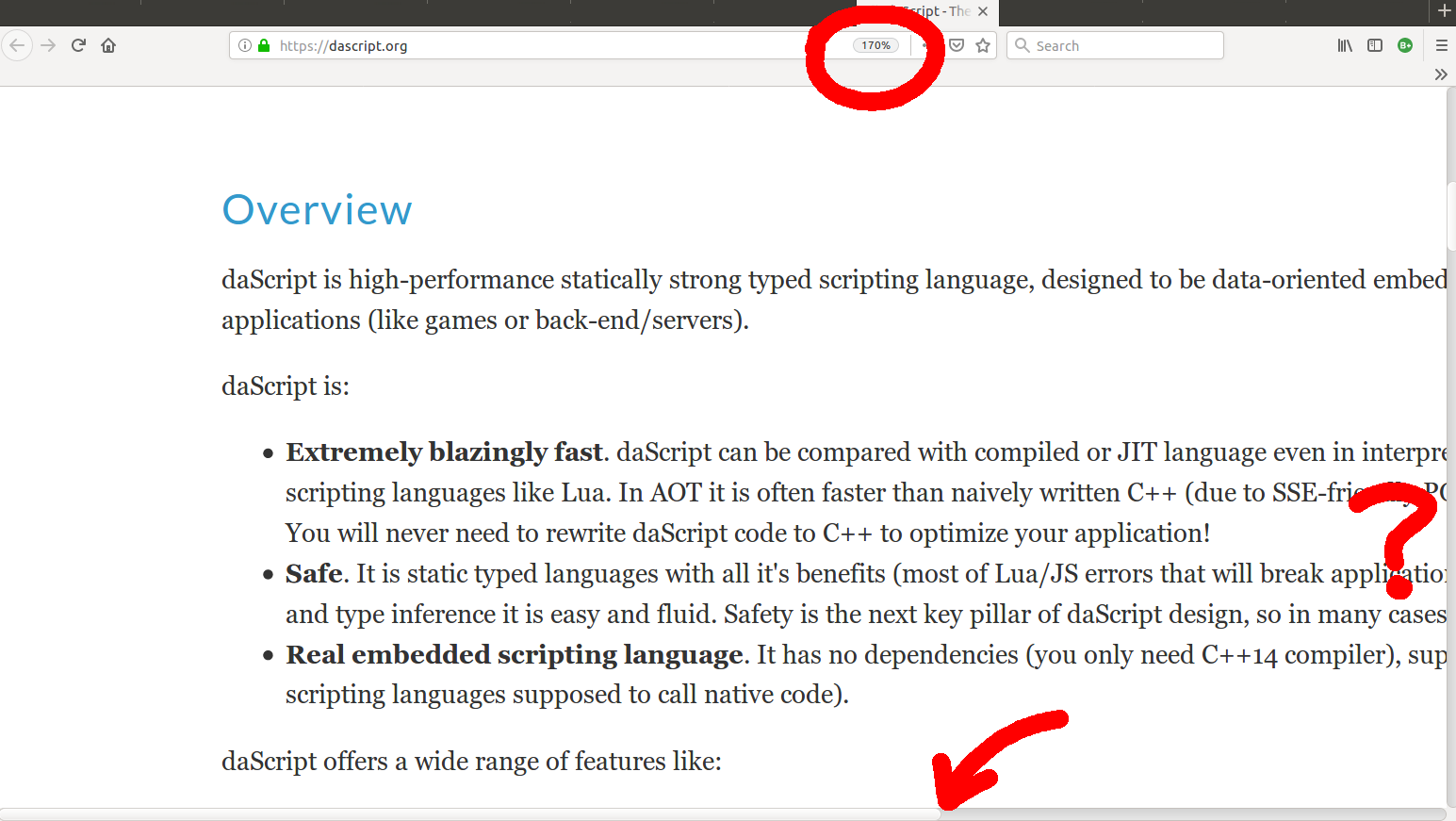
My eyesight isn't great, so I use the "Zoom" function on Firefox to increase the font size. But the text now doesn't wrap, and I'm constantly scrolling from side-to-side to be able to read the text. It's tedious in the extreme.
Screen shot here: https://www.solipsys.co.uk/images/daScript.png
Magnification, line truncation, and scroll bar indicated.
* Why doesn't the text wrap to the window size? No idea.
* Why is it written like this? No idea.
Annoying, irritating, and so unnecessary.
Ironically, the site is made using tables for layout! Like, the really old technique where the left and right margins of the content are actually td's with a bunch of  's inside.
I'm really surprised that someone would make a site this way nowadays. It is a lot more work than necessary and the end results are not great (as you can see here).
PS: Running this in your console will get to a mostly workable state (not great, but better):
[...document.querySelectorAll('*')].map(e => {e.style.width = 'auto';})
Edit: I did my good deed of the day by opening a PR that modernizes the site's markup and CSS, fixing the issues too:
Updated site is now live (along with big documentation update and link to sandbox tio.run).
Just out of curiosity, what controls whether or not reader mode is enabled?
Ten years later, in 2018, someone added a basic lexer for "YZG" to the repo: https://github.com/GaijinEntertainment/daScript/commit/215d5...
Currently, it seems to be lacking documentation on how to embed and interoperate with C++, though, so have no idea how easy it is to get working (especially AOT vs interpreted and interop with templated C++ code).
daScript has both ahead-of-time compilation and an interpreter.