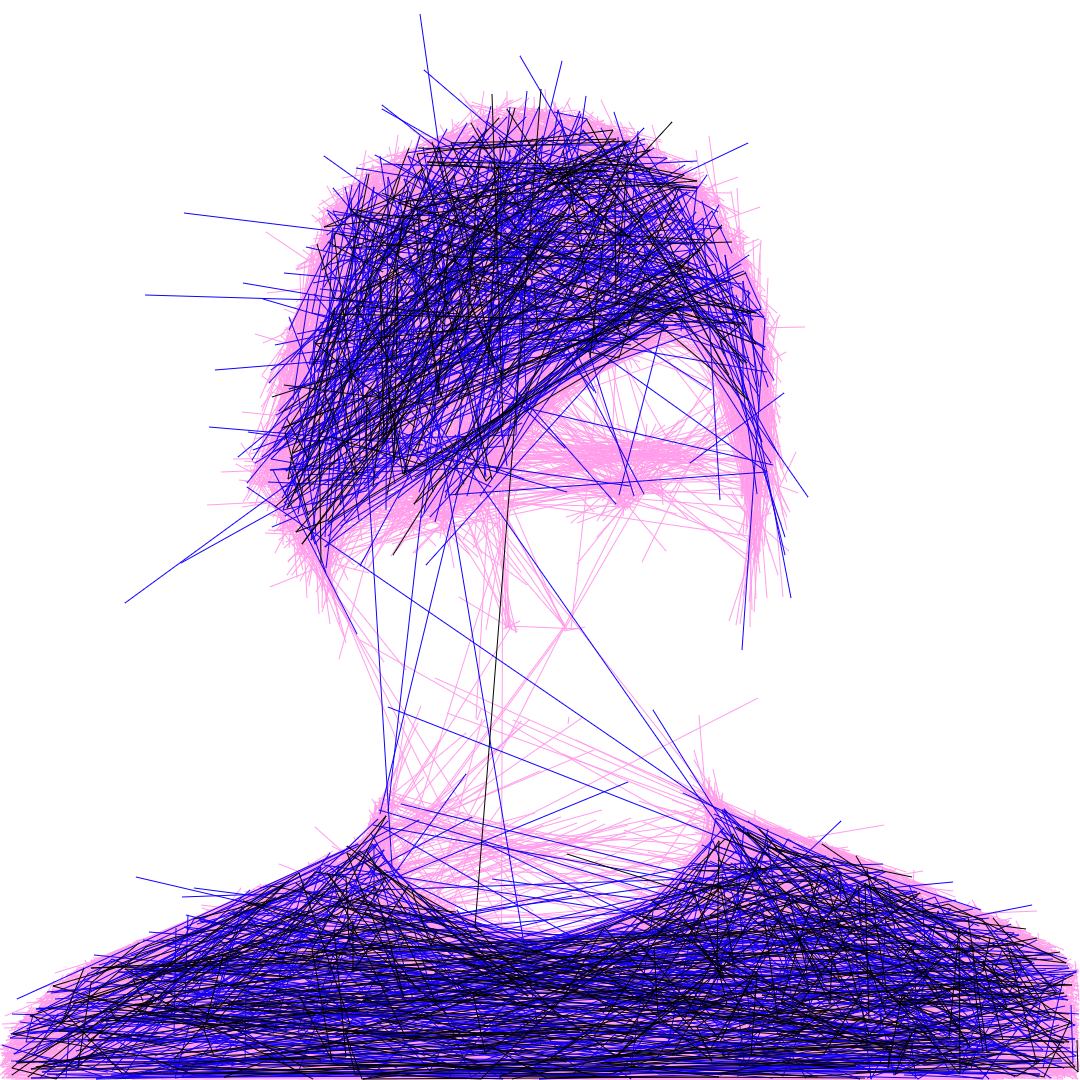
Just yesterday I was playing with the Flow Imager plugin for VPype. Similar trick of using line density, but in this case it's using a randomized curved flowfield for texture. The fun thing is the experimental "flow along image edges" feature where you get some lines tracing edges in the original picture. https://github.com/serycjon/vpype-flow-imager
I love it.
Inkscape has a gcode generation tool, but it requires some tweaks to work on my prusa 3d printer. Still a work in progress!
An untested python one-liner:
'\n'.join(["G0 X"+x+" Y"+y for x,y in coords])
https://github.com/javierbyte/pintr/blob/master/lib/svg.js#L...
* Update to add a link to the code that generates the SVG.
Also see a ' weaving algorithm' here : https://github.com/i-make-robots/weaving_algorithm
https://m.youtube.com/watch?v=L2KdOJRR3Vo
His notebook is at https://plutocon2021-demos.netlify.app/paulbutler_penplottin...
I found convertio[o], but it doesn't support SVG embedded fonts so the text defaults to Times.
https://forums.autodesk.com/t5/image/serverpage/image-id/400...
Neat idea regardless.
Kolmogorov Complexity is the MDL when the language is Turing-complete; in that case I think the number of lines would be less interesting than the patterns in their arrangement. For example, we can arrange millions of lines in a spiral with very low Kolmogorov Complexity; whilst a handful of "random" lines could have a much higher complexity (since, without a pattern, we have to specify them all individually).
I mentioned it in a sibling, but I've written a very simple Python script which can be used as a test-bed for finding the Kolmogorov complexity of plotter-based images (using turtle graphics) http://chriswarbo.net/projects/turtleview
Are there any text describing theories for doing this, or does everybody just trial and error their way through?
Shameless plug: public domain image vectorizer
Does anyone have any plotter recommendations?
I’m also a fan of the Saxi driver software. Paired with a Raspberry Pi, it gives you a web-based interface to an AxiDraw so that you don’t have to physically connect your computer to the plotter.
Here's a video of my plotter with a Sharpie:
https://drive.google.com/drive/folders/1IbZ4IPUEkU28_KBybtFo...
The best pens are the cheap ballpoint ones, unless you already have rapidographers. I don't like using Sharpies because they fade out in the middle of the drawing and you have to plot at low speed.
For example, I ballpoint outlined the staircase piece (linked above) and then I manually filled it in with a Sharpie.
unfortunately sharpies aren’t very good. i use paint pens but they require significant pressure to open the valve behind the nib.
i am currently working on making my own markers...
Then I bought a cheap 3d printer and made a few of these, which fit the "fat" sharpies: https://www.thingiverse.com/thing:1261805
I need to adjust that print for "ultra fine" sharpies in order to do prints like what this website is producing though.
there were many manufacturers. the ones that seem to be higher quality were HP and Roland. alps made a tiny one that was repackaged for commodore, atari, etc. and there were a plethora of other manufacturers (graphtec, houston instruments, and so on)
check ebay for "pen plotter" but beware that many are quite large and shipping will be expensive.
i currently have a HP DXL 7575a (a large roller plotter) and a Roland DXY-1150 (small flatbed). the roland was shipped but the hp i had to pick up locally. roland still has the manual on the site for the 1150, but it required a wacky power supply that took some effort to find. for HP stuff make sure it has RS232 and not HP-IB interfaces or whatever wacky stuff. also, different plotters used different languages. Roland's RDGL and HP's HPGL were easy enough to implement directly from the documentation...
many of them don't work because various belts have died. my HP fired right up.
one ongoing concern is that pens are no longer made so you have to fight over scraps on ebay.
modern plotters:
get an axidraw. it is nice and lets you use standard pens.
"XY plotters" are still around but seem to be very niche (emulating hand writing) or DIY/hobby stuff.
I remember being in an engineering office of some sort as a kid, fascinated by watching the multi-pen plotter [1] drawing some kind of technical drawing. It had a pen carousel to change colors, and a little robot gripper to hold it. Finding information on these (from the 2 minutes of searching I did) seems quite hard, so it seems like they probably went out of fashion before the internet was a thing.
plotters are still made today, they're just called "vinyl cutters" and don't have the pen changers anymore.
perhaps let the people who actually know the answer to the given question do the writing?