> This issue doesn't affect tapes written with the ADR-50 drive, but all the tapes I have tested written with the OnStream SC-50 do NOT restore from tape unless the PC which wrote the tape is the PC which restores the tape. This is because the PC which writes the tape stores a catalog of tape information such as tape file listing locally, which the ARCserve is supposed to be able to restore without the catalog because it's something which only the PC which wrote the backup has, defeating the purpose of a backup.
Holy crap. A tape backup solution that doesn't allow the tape to be read by any other PC? That's madness.
Companies do shitty things and programmers write bad code, but this one really takes the prize. I can only imagine someone inexperienced wrote the code, nobody ever did code review, and then the company only ever tested reading tapes from the same computer that wrote them, because it never occured to them to do otherwise?
But yikes.
What is needed is the backup catalog. This is fairly standard on a lot of tape-related software, even open source; see for example "Bacula Tape Restore Without Database":
* http://www.dayaro.com/?p=122
When I was still doing tape backups the (commercial) backup software we were using would e-mail us the bootstrap information daily in case we had to do a from-scratch data centre restore.
The first step would get a base OS going, then install the backup software, then import the catalog. From there you can restore everything else. (The software in question allowed restores even without a license (key?), so that even if you lost that, you could still get going.)
But having format where you can't recreate the index from data easily is just abhorrently bad coding...
This is only for a complete disaster scenario, if you’re restoring one PC or one file, you would still have the backup server and the database. But if you don’t, you need to run the command to reconstruct the database.
The catalog would be written to tape regularly: this is what would gets e-mailed out. But it wouldn't necessarily be written to every tape.
Remember that the catalog changes every day: you'd have Version 3142 of the catalog at the beginning of Monday, but then you'd back a bunch of clients, so that catalog would now be out-of-date, so Version 3143 would have to be written out for disaster recovery purposes (and you'd get an e-mail telling you about the tape labels and offsets for it).
In a DR situation you'd go through your e-mails and restore the catalog listed in the most recent e-mail.
An example of this done right: If you disconnect a SAN volume from VMware and attach it to a completely different cluster, it's readable. You can see the VM configs and disks in named folders. This can be used for DR scenarios, PRD->TST clones, etc...
Done wrong: XenServer. If you move a SAN volume to a new cluster, it gets shredded, with every file name replaced by a GUID instead. The file GUID to display name mapping is stored in a database that's only on the hosts! That database is replicated host-to-host and can become corrupted. Backing up just the SAN arrays is not enough!
My guess is they lack the RAM buffer and CPU to properly keep up correctly. Then with a side of assumptions on the software side.
If you’re making an “is” argument, I completely disagree. I see companies (including my own) regularly having junior programmers responsible for decisions that cast inadvertently or unexpectedly long shadows.
The big challenge, which I think is actually important almost philosophical challenge — it might sound like a dull issue, like how do you format a database, so you can retrieve information, that sounds pretty technical. The real key issue is that software formats are constantly changing.
People say, “well, gee, if we could backup our brains,” and I talk about how that will be feasible some decades from now. Then the digital version of you could be immortal, but software doesn’t live forever, in fact it doesn’t live very long at all if you don’t care about it if you don’t continually update it to new formats.
Try going back 20 years to some old formats, some old programming language. Try resuscitating some information on some PDP1 magnetic tapes. I mean even if you could get the hardware to work, the software formats are completely alien and [using] a different operating system and nobody is there to support these formats anymore. And that continues. There is this continual change in how that information is formatted.
I think this is actually fundamentally a philosophical issue. I don’t think there’s any technical solution to it. Information actually will die if you don’t continually update it. Which means, it will die if you don’t care about it. ...
We do use standard formats, and the standard formats are continually changed, and the formats are not always backwards compatible. It’s a nice goal, but it actually doesn’t work.
I have in fact electronic information that in fact goes back through many different computer systems. Some of it now I cannot access. In theory I could, or with enough effort, find people to decipher it, but it’s not readily accessible. The more backwards you go, the more of a challenge it becomes.
And despite the goal of maintaining standards, or maintaining forward compatibility, or backwards compatibility, it doesn’t really work out that way. Maybe we will improve that. Hard documents are actually the easiest to access. Fairly crude technologies like microfilm or microfiche which basically has documents are very easy to access.
So ironically, the most primitive formats are the ones that are easiest.
PNG is 26 years old and basically unchanged since then. Same with 30 year old JPEG, or for those with more advanced needs the 36 year old TIFF (though there is a newer 21 year old revision). All three have stood the test of time against countless technologically superior formats by virtue of their ubiquity and the value of interoperability. The same could be said about 34 year old zip or 30 year old gzip. For executable code, the wine-supported subset of PE/WIN32 seems to be with us for the foreseeable future, even as Windows slowly drops comparability.
The latest Office365 Word version still supports opening Word97 files as well as the slightly older WordPerfect 5 files, not to mention 36 year old RTF files. HTML1.0 is 30 years old and is still supported by modern browsers. PDF has also got constant updates, but I suspect 29 year old PDF files would still display fine.
In 2005 you could look back 15 years and see a completely different computing landscape with different file formats. Look back 15 years today and not that much changed. Lots of exciting new competitors as always (webp, avif, zstd) but only time will tell whether they will earn a place among the others or go the way of JPEG2000 and RAR. But if you store something today in a format that's survived the last 25 years, you have good chances to still be able to open it in common software 50 years down the line.
Even 50 years (laughable for a clay tablet) is still pretty darn long in the tech world. We'll still probably see the entire computing landscape, including the underlying hardware, changing fundamentally in 50 years.
Future-proofing anything is a completely different dimension. You have to provide the independent way to bootstrap, without relying on the unbroken chain of software standards, business/legal entities, and the public demand in certain hardware platforms/architectures. This is unfeasible for the vast majority of knowledge/artifacts, so you also have to have a good mechanism to separate signal from noise and to transform volatile formats like JPEG or machine-executable code into more or less future proof representations, at least basic descriptions of what the notable thing did and what impact it had.
I'd argue that best way would be to not do that but to make sure format is ubiquitous enough that the knowledge will never be lost in the first place.
HTML itself is relatively safe, by virtue of it being based on SGML. Though it's not ideal either because those who think it's their job to evolve HTML don't bother to maintain SGML DTDs or use other long established formal methods to keep HTML readable, but believe a hard-coded and (hence necessarily) erroneous and incomplete parsing description the size of a phone book is the right tool for the job.
Let me quote the late Yuri Rubinski's foreword to The SGML Handbook outlining the purpose of markup languages (from 1990):
> The next five years will see a revolution in computing. Users will no longer have to work at every computer task as if they had no need to share data with all their other computer tasks, they will not need to act as if the computer is simply a replacement for paper, nor will they have to appease computers or software programs that seem to be at war with one another.
However, exactly because evolving markup vocabularies requires organizing consensus, a task which W3C et al seemingly weren't up to (busy with XML, XHTML, WS-Star, and RDF-Star instead for over a decade), CSS and JS was invented and extended for the absurd purpose of basically redefining what's in the markup which itself didn't need to change, with absolute disastrous results for long-term readability or even readability on browsers other than from the browser cartel today.
I try to take advantage of this by only using older, open, and free things (or the most stable subsets of them) in my "stack".
For example, I stick to HTML that works across 20+ years of mainstream browsers.
I have JPEGs and MP3s from 20 years ago that don't open today.
I've found https://github.com/ImpulseAdventure/JPEGsnoop useful to fix corruption but I haven't come across a non-standard JFIF JPEG unless it was intentionally designed to accommodate non-standard features (alpha channel etc).
"The roots of Creo Parametric. Probably one of the last running installations of PTC's revolutionary Pro/ENGINEER Release 7 datecode 9135 installed from tape. Release 7 was released in 1991 and is - as all versions of Pro/ENGINEER - fully parametric. Files created with this version can still - directly - be opened and edited in Creo Parametric 5.0 (currently the latest version for production).
This is a raw video, no edits, and shows a bit of the original interface (menu manager, blue background, yellow and red datum planes, no modeltree).
Hardware used: Sun SparcStation 5 running SunOS 4.1.3 (not OpenWindows), 128MB RAM
Video created on january 6, 2019."
In some cases, the actual version code of a feature is invoked by that data being encoded as part of the model data schema.
Literal encapsulation in action. That way bugs and output variances are preserved so that the regenerated model is accurate to what the software did decades ago.
Talk about taking the simplest and most durable of (web) formats and creating a hellscape of tangled complexity which becomes less and less likely to be maintainable or easy to archive the more layers of hipster js faddishness you add...
An honest question: If you are writing a program that you want to survive for 100+ years, shouldn't you specifically target a well-maintained and well-documented VM that has backward compatibility as a top priority? What other options are there?
I'd be tempted to target a well-known physical machine - build a bootable image of some sort as a unikernel - although in the age of VMWare etc. there's not a huge difference.
IMO the "right" way to do this would be to endow an institution to keep the program running, including keeping it updated to the "live" version of the language it's writen in, or even porting it between languages as and when that becomes necessary.
I think the concern is becoming increasingly irrelevant now, because if I really need to access a file I created in Word 4.0 for the Mac back in 1990, it's not too hard to fire up System 6 with that version of Word and read my file. In fact it's much easier now than it was in 2005 when he was writing. Sure it might take half an hour to get it all working, but that's really not too bad.
Most of this is probably technically illegal and will sometimes even have to rely on cracked versions, but also nobody cares and. All the OS's and programs are still around and easy to find on the internet.
Not to mention that while file formats changed all the time early on, these days they're remarkably long-lived -- used for decades, not years.
The outdated hardware concern was more of a concern (as the original post illustrates), but so much of everything important we create today is in the cloud. It's ultimately being saved in redundant copies on something like S3 or Dropbox or Drive or similar, that are kept up to date. As older hardware dies, the bits are moved to newer hardware without the user even knowing.
So the problem Kurzweil talked about has basically become less of an issue as time has marched on, not more. Which is kind of nice!
And that was easy years ago.
Now you can WASM it and run it in a browser
It's even got Word 5.1 installed. :)
I fear we may be on top of that point. With the "cloudification" where more and more software is run on servers one doesn't control there is no way to run that software in a VM as you don't have access to the software anymore. And even getting the pure data for a custom backup becomes harder and harder.
I should etch something into its glass and bury it in my back yard. Perhaps a shopping list, or a complaint about how my neighbor inexplicably gets into his truck six or eight times a day and just sits there with it running.
There are external dependencies but one hopes that the descriptions are sufficient to figure out how to make those work.
Sure, there is a risk that at some point, for example, any version of every PNG or H.264 decoder gets lost and so re-creating decoder for that would be significantly more complicated, but chances for that are pretty slim, but looking at `ffmpeg -codecs` I'm not really worried for that to ever happen.
Maybe it isn't crude after all if it wins.
They are just simple.
And what they do is very fully exploit the analog physics to yield high data density mere mortals can make effective use of.
And they make sense.
In my life, text, bitmaps and perhaps raw audio endure. Writing software to make use of this data is not difficult.
A quick scan later, microfiche type data ends up a bitmap.
Prior to computing, audio tape, pictures on film and ordinary paper, bonus points for things like vellum, had similar endurance and utility.
My own archives are photos, papers and film.
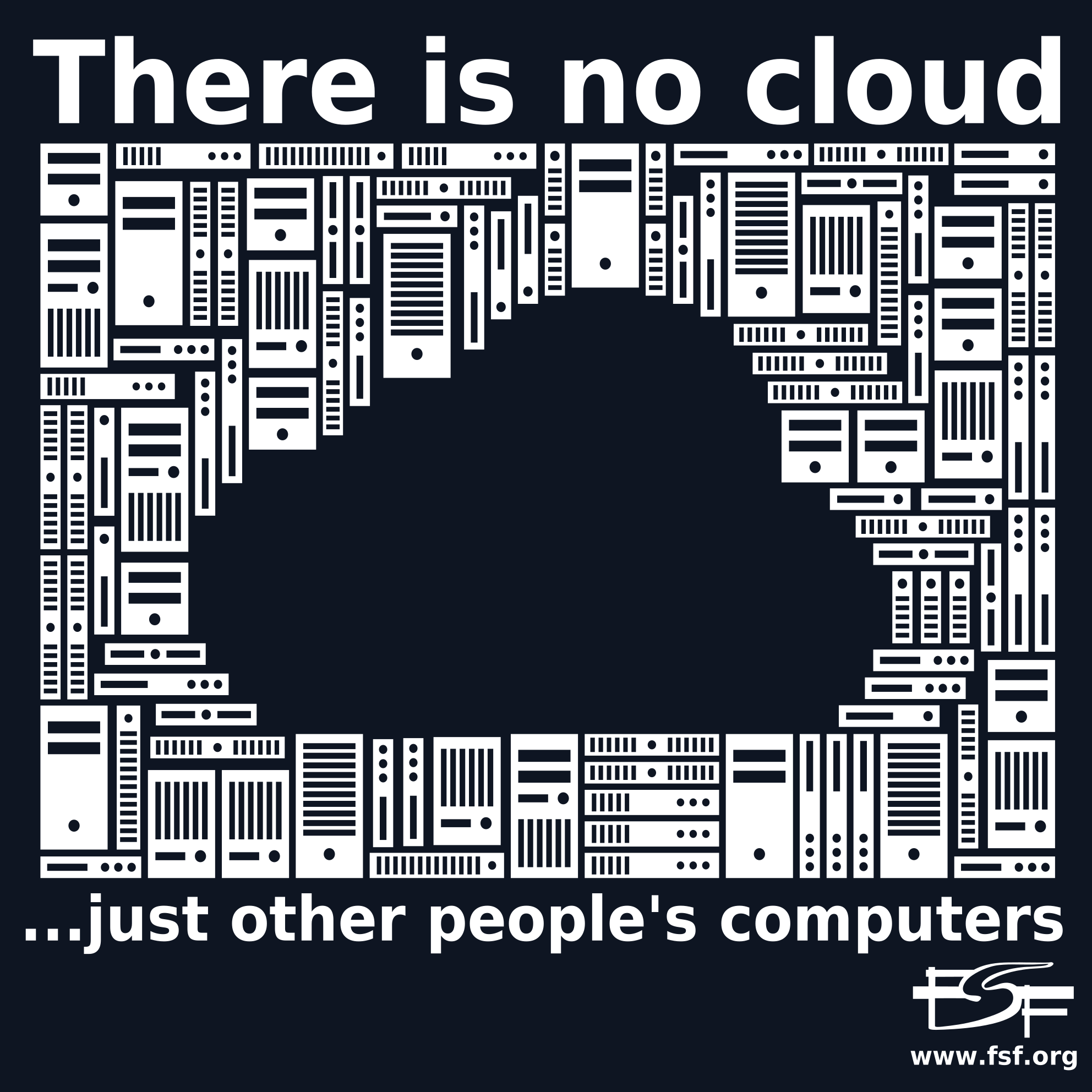
The FSF used to sell these wonderful stickers that said "There is not cloud. It's just someone else's computer."
"Stickers from various FSF campaigns - Print out copies of our stickers for your own uses, local conferences and more." https://www.fsf.org/resources/stickers
For anything more than few machines there is bacula/bareos (that pretends everything is tape with mostly miserable results), backuppc (that pretends tapes are not a thing, with miserable results), and that's about it, everything else seems to be point-to-point backups only with no real central management.
I've actually long been stunned by the propensity of proprietary backup software to use undocumented, proprietary formats. I've always found this quite stunning, in fact. It seems to me like the first thing one should make sure to solve when designing a backup format is to ensure it can be read in the future even if all copies of the backup software are lost.
I may be wrong but I think some open source tape backup software (Amanda, I think?) does the right thing and actually starts its backup format with emergency restoration instructions in ASCII. I really like this kind of "Dear future civilization, if you are reading this..." approach.
Frankly nobody should agree to use a backup system which generates output in a proprietary and undocumented format, but also I want a pony...
It's interesting to note that the suitability of file formats for archiving is also a specialised field of consideration. I recall some article by someone investigating this very issue who argued formats like .xz or similar weren't very suited to archiving. Relevant concerns include, how screwed you are if the archive is partly corrupted, for example. The more sophisticated your compression algorithm (and thus the more state it records from longer before a given block), the more a single bit flip can result in massive amounts of run-on data corruption, so better compression essentially makes things worse if you assume some amount of data might be damaged. You also have the option of adding parity data to allow for some recovery from damage, of course. Though as this article shows, it seems like all of this is nothing compared to the challenge of ensuring you'll even be able to read the media at all in the future.
At some point the design lifespan of the proprietary ASICs in these tape drives will presumably just expire(?). I don't know what will happen then. Maybe people will start using advanced FPGAs to reverse engineer the tape format and read the signals off, but the amount of effort to do that would be astronomical, far more even than the amazing effort the author here went to.
Even if you write an ASCII message directly to a tape, that data is obviously going to be encoded before being written to the tape, and you have no idea if anyone will be able to figure out that encoding in future. Trouble.
What makes this particularly pernicious is the fact that LTO nowadays is a proprietary format(!!). I believe the spec for the first generation or two of LTO might be available, but last I checked, it's been proprietary for some time. The spec is only available to the (very small) consortium of companies which make the drives and media. And the number of companies which make the drives is now... two, I think? (They're often rebadged.) Wouldn't surprise me to see it drop to one in the future.
This seems to make LTO a very untrustworthy format for archiving, which is deeply unfortunate.
Make an LTO tape... But also make a Bluray... And also store it on some hard drives... And also upload it to a web archive...
The same for the actual file format... Upload PDF's... But also upload word documents.. And also ASCII...
And same for the location... Try to get diversity of continents... Diversity of geopolitics (ie. some in USA, some in Russia). Diversity of custodians (friends, businesses, charities).
Past generations thought EBCDIC would last longer than it did.
Again, not that there any indications now that ASCII won't survive nearly as long as the English language does at this point, just that when we're talking about sending signals to the future, even assuming ASCII encoding is an assumption to question.
The thing that might make it hard is if people have forgotten English itself, and in that case ASCII is one of the smallest barriers.
EBCDIC would also be fine.
Nice. That kind of thing makes too much sense. Wow. Such cheap insurance. Nice work from that team.
And if you find it, don't judge what it is or worry what others might think - or even necessarily tell anyone. Sometimes the most motivating things are highly personal, as with the OP; a significant part of their childhood.
Looks like that is what I need to start looking for again, projects which I find interesting or fun to do in my spare time, without thinking about how it would affect my career or trying to find ways to monetize it.
I'm secondhand pissed at the recovery company, I have a couple of ancient SD cards laying around and this just reinforces my fear that if I send them away for recovery they'll be destroyed (the cards aren't recognized/readable by the readers built into MacBooks, at least)
And magnetic drives will seize up. and optical disks get oxidized, and tapes stick together. long term archiving is a tricky endeavor.
It is however an interesting challenge. I think I would get acquainted with the low level protocol used by sd cards. then modify a microcontroller sdmmc driver to get me an image of the card(errors and all). that is, without all the scsi disk layers doing their best to give you normalized access to the device. Or more realistically, hope someone more talented than me does the above.
My optical disk drive was $17 and has M disc writing compatibility, and my understanding is they are meant to be read by any CD reader.
my first job we had a vault of ibm reel to reel tapes of old business data. our attitude if we were ever asked to pull any of the data was that we would probably only get one chance at it as the ferric material on on the tape had a disturbing tendency to flake off. note that there are techniques to reduce this, but we did not have the means or motivation to apply them.
And a pedantic observation on your correct point about optical disks. you can't make backups on pressed disks, only recordable ones.
You need to let flash cells rest before writing again if you want to achieve long retention periods, see section 4 in [1]. The same document says 100 years is expected if you only cycle it once a day, 10k times over 20 years (Fig 8).
[1]: https://www.infineon.com/dgdl/Infineon-AN217979_Endurance_an...
I have backed up my blu-ray collection to a dozen or so LTO-6 tapes, and it's worked great, but I have no idea how long the drives are going to last for, and how easy it will be to repair them either.
Granted, the LTO format is probably one of the more popular formats, but articles like this still keep me up at night.
I don't even want to think about the hairy issues associated with keeping the bits able to be interpreted. That's a human behavior problem more than a technology problem.
But your original bluray disk are also a backup.
In 2016 I've used an LTO-3 drive to restore a bunch (150 or 200) of LTO-1/2 tapes from 2000-2003, and almost all but one or two worked fine.
Ahh the business model of "just tell them to send us the tape and we'll buy the drive on eBay"
Their cardinal sin was that they irreparably damaged the tape without prior customer approval.
In cases like this can imagine some company yelling "copyright infringement" even though they don't possess a copy themselves. It's a really odd situation.
Links for the games referenced:
- Frogger II: ThreeeDeep! (1984)
https://www.mobygames.com/game/7265/frogger-ii-threeedeep/
- Frogger 2: Swampy's Revenge (2000) [1]
https://www.mobygames.com/game/2492/frogger-2-swampys-reveng...
- Frogger 2 (2008) [2]
I'm assuming the use of "cave-at" means the author has inferred an etymology of "caveat" being made up of "cave" and "at", as in: this guarantee has a limit beyond which we cannot keep our promises, if we ever find ourselves AT that point then we're going to CAVE. (As in cave in, meaning give up.) I can't think of any other explanation of the odd punctuation. Really quite charming, I'm sure I've made similar inferences in the past and ended up spelling or pronouncing a word completely wrong until I found out where it really comes from. There's an introverted cosiness to this kind of usage, like someone who has gained a whole load of knowledge and vocabulary from quietly reading books without having someone else around to speak things out loud.
And even various versions of tar aren't compatible, and that's not even starting with star and friends.
Then there's slightly more obscure formats that didn't take off in the western world, and the physical mediums too. Not many people had the pleasure of having to extract hundreds of "GCA" files off of MO disks using obscure Japanese freeware from 2002. The English version of the software even has a bunch of flags on virustotal that the standard one doesn't. And there's obscure LZH compression algorithms that no tool available now can handle.
I've found myself setting up one-time Windows 2000/XP VMs just to access backups made after 2000.
Absolutely not worth it tho. Drives are hideously expensive which means they only start making sense where you have at least dozens of tapes.
There is an advantage of tapes not being electrically connected most of the time so lightning strike will not burn your archives, I have pondered making a separate box with a bunch of hard drives that boots once a month and just copies last months of backups on hard drives, powered from solar or something just to separate from the network
What’s fun are the hard drive based systems designed to perfectly imitate a tape autoloader so you don’t have to buy new backup software (virtual tape libraries).
It had a great reputation on Novell Netware but the Windows product was a mess. I never had a piece of backup management software cause blue screens (e.g. kernel panics) before an unfortunate Customer introduced me to ARCServe on Windows.
Unix tar is obviously not the right solution, but a Windows tar seems like it shouldn't be that hard to do and yet we are in the situation we are today. I've been using dump/restore for decades now on Unix, including to actually recover from loss, but I admit that it's not that pleasant to use. I like that it is very simple and reliable however, unlike the mess that is Time Machine (recovering from a hardware loss on a Mac is a roll of the dice, and I've gotten snakes) or worse Deja Dup. I'm not sure I've ever successfully recovered a system from a Deja Dup backup.
It seems like it would be easier to process old magnetic tapes by imaging them and then applying signal processing rather than finding working tape drives with functioning rollers. Most of the time, you're not worried about tape speed since you're just doing recovery read rather than read/write operations. So, a slow but accurate operation seems like it would be a boon for these kinds of things.
The presentation explores using software-defined signal processing analyze a digitized version of the analog signal generated from the flux transitions. It's basically moving the digital portion of the tape drive into software (a lot like software-defined radio). This is also very similar to efforts in floppy disk preservation. Floppies are amazingly like tape drives, just with tiny circular tapes.
(Completely guessing here with absolute no knowledge of the real state of things)
It’s a little sad that it took such a monumental effort to bring the source code back from the brink of loss. It’s times like that that should inspire lawmakers to void copyright in the case that the copyright holders can’t produce the thing they’re claiming copyright over.
Of course it didn't really make sense to use digital tapes for that use case, even back then. It was just for fun, and the article sparked some nostalgic joy, which felt worth sharing :)
One option was to specify a set of files, and that spec could just be a directory. Once done, the system built a mini filesystem and would write that to tape.
XFS was the filesystem in use at the time I was doing systems level archival.
On restores, each tape, each record was a complete filesystem.
One could do it in place and literally see the whole filesystem build up and change as each record was added. Or, restore to an empty directory and you get whatever was in that record.
That decision was not as information dense as others could be, but it was nice and as easy as it was robust.
What our team did to back up some data managed engineering software was perform a full system backup every week, maybe two. Then incrementals every day, written twice to the tape.
Over time, full backups were made and sent off site. One made on a fresh tape, another made on a tape that needed to be cycled out of the system before it aged out. New, fresh tapes entered the cycle every time one aged out.
Restores were done to temp storage and rather than try and get a specific file, it was almost always easier to just restore the whole filesystem and then copy the desired file from there into its home location. The incrementals were not huge usually. Once in a while they got really big due to some maintenance type operation touching a ton of files.
The nifty thing was no real need for a catalog. All one needed was the date to know which tapes were needed.
Given the date, grab the tapes, run a script and go get coffee and then talk to the user needing data recovery to better understand what might be needed. Most of the time the tapes were read and the partial filesystem was sitting there ready to go right about the time those processes completed.
Having each archive, even if it were a single file, contain a filesystem data set was really easy to use and manage. Loved it.
Another tech tip is not buying 2 backup devices from the same batch or even the same model. Chances being these will fail in the same way.
Last time I ever had the same model drives in an array.
Personally my most nailbiting period was when I got my first (20MB!) drive as a kid and it was too big an investment to replace even when it refused to spin up without me opening up the drive(!) and nudging the platter with my finger to help the motor spin it up... I backed everything up (on floppies), and stored everything important straight to floppies, but it was still more convenient to hold on to the HD for the next 6 months or so until I'd saved up enough to replace it...
It's remarkable what drives can survive if you're lucky... Also remarkable how quickly that luck can run out, though.
> "hey, it already doesn't work, what have you got to lose?"
This attitude has saved me more than once. Recognising when you can afford to do things that seems ridiculous helps surprisingly often.
Someone is trying to find out with an experiment, however: https://news.ycombinator.com/item?id=35382252
Even the utter trash that is thumb drives and SD cards seem to hold data just fine for many years in actual use.
IIRC, the paper was explicitly about heavily used and abused storage.
I wonder would a CD-R disk retain data for these 22 years?
Living in South Florida, ambient temperatures were enough to erase CD-Rs - typically in less than a year. I quickly started buying the much more expensive "archival" discs, but that wasn't enough. One fascinating "garage band" sold their music on CD-Rs and all of my discs died (it was a surfer band from Alabama).
Melting polycarbonate would call for an absurdly powerful laser, a glacial pace, or both, and you wouldn't have to use dye at all. I'd guess such a scheme would be extremely durable, though.
....What do you mean "nobody paid for the bucket for last 5 years" ?
There is some chance someone might stash old hard drive or tape with backup somewhere in the closet. There is no chance there will be anything left when someone stops paying for cloud.
Melted pinch rollers are not uncommon and there are plenty of other (mostly audio) equipment with similar problems and solutions --- dimensions are not absolutely critical and suitable replacements/substitutes are available.
As an aside, I think that prominent "50 Gigabytes" capacity on the tape cartridge, with a small asterisk-note at the bottom saying "Assumes 2:1 compression", should be outlawed as a deceptive marketing practice. It's a good thing HDD and other storage media didn't go down that route.
I don't have much knowledge about Fusion Frenzy, but I am looking for options for archiving its development too, if that's even a possibility, which I'm not certain of yet.
From 10,000 feet, this sounds suspiciously like ARCserve is reading a single tape block or transfer buffer's worth of data for each file, writing out the result, then failing and proceeding to the next file.
Success popup notwithstanding, I'd expect to find errors in either the ARCserve or Windows event logs in this case — were there none?
While it's been decades since I've dealt with ARCserve specifically, I've seen similar behavior caused by any number of things. Off the top of my head,
(1) Incompatibilities between OS / backup software / HBA driver / tape driver.
In particular, if you're using a version of Windows much newer than Windows 2000, try a newer version of ARCserve.
In the absence of specific guidance, I'd probably start with the
second* ARCserve version that officially supports Windows Server 2003:(a) Server 2003 made changes to the SCSI driver architecture that may not be 100% compatible with older software.
(b) The second release will likely fix any serious Server 2003 feature-related bugs the first compatible version may have shipped with, without needing to install post-release patches that may be hard to find today.
(b) Significantly newer ARCserve versions are more likely to introduce tape drive / tape format incompatibilities of their own.
(2) Backup software or HBA driver settings incompatible with the hardware configuration (e.g., if ARCserve allows it, try reducing the tape drive transfer buffer size or switching from fixed block (= multiple tape blocks per transfer) to variable block (= single tape block per transfer) mode; if using an Adaptec HBA, try increasing the value of /MAXIMUMSGLIST[1]).
(3) Shitty modern HBA driver support for tape (and, more generally, non-disk) devices.
For example, modern Adaptec Windows HBA drivers have trouble with large tape block sizes that AFAIK cannot be resolved with configuration changes (though 32 kB blocks, as likely seen here, should be fine).
In my experience with PCIe SCSI HBAs, LSI adapters are more likely to work with arbitrary non-disk devices and software out-of-the-box, whereas Adaptec HBAs often require registry tweaks for "unusual" circumstances (large transfer sizes; concurrent I/O to >>2 tape devices; using passthrough to support devices that lack Windows drivers, especially older, pre-SCSI 2 devices), assuming they can be made to work at all.
LSI20320IE PCIe adapters are readily available for $50 or less on eBay and, in my experience, work well for most "legacy" applications.
(To be fair to Adaptec, I've had nothing but good experiences using their adapters for "typical" applications: arbitrary disk I/O, tape backup to popular drive types, CD/DVD-R applications not involving concurrent I/O to many targets, etc.)
(4) Misconfigured or otherwise flaky SCSI bus.
In particular, if you're connecting a tape drive with a narrow (50-pin) SCSI interface to a wide (68-pin) port on the HBA, make sure the entire bus, including the unused pins, are properly terminated.
The easiest way to ensure this is to use a standard 68-pin Ultra320 cable with built-in active LVD/SE termination, make sure termination is enabled on the HBA, disabled on the drive, that the opposite end of the cable from the built-in terminator is connected to the HBA, and, ideally, that the 68-to-50-pin adapter you're using to connect the drive to the cable is unterminated.
You can also use a 50-pin cable connected to the HBA through a 68-to-50-pin adapter, but then you're either relying on the drive properly terminating the bus — which it may or may not do — or else you need an additional (50-pin) terminator for the drive end, which will probably cost as much as a Ultra320 cable with built-in termination (because the latter is a bog-standard part that was commonly bundled with both systems and retail HBA kits).
Note that I have seen cases where an incorrect SCSI cable configuration works fine in one application, but fails spectacularly in another, seemingly similar application, or even the same application if the HBA manages to negotiate a faster transfer mode. While this should be far less likely to occur with a modern Ultra160 or Ultra320 HBA, assume nothing until you're certain the bus configuration is to spec (and if you're using an Ultra2 or lower HBA, consider replacing it).
With all that said, reversing the tape format may well be easier than finding a compatible OS / ARCserve / driver / HBA combination.
In any case, good job with that, and thanks for publishing source code!
[1] http://download.adaptec.com/pdfs/readme/relnotes_29320lpe.pd...
See my profile for contact information.
[1] 9-track reel, IBM 3570, IBM 3590, early IBM 3592, early LTO, DLT ranging from TK-50 to DLT8000.
[2] IBM 3480/3490/3490E, most 4mm and 8mm formats, most full-sized QIC formats including HP 9144/9145, several QIC MC/Travan drives with floppy controllers of some description, a Benchmark DLT1 assuming it still works, probably a few others I'm forgetting about.
Or in a few years, just have an AI write the code...
Hahaha awwwww yeah :muscle: