After trying a few server-based options like Ghost, Statamic and self-built ones with Phoenix or Vapor (I've covered some ground as a dev) and the usual SSG options I ended up just writing everything as straight HTML without any templates and upload to a Hetzner server using rsync.
The lack of templating for shared UI like navigation is a touch irritating, but with some RegEx magic I haven't found a change I want to make that takes more than a few minutes. I got caught out early on with some greedy RegEx that nuked some content, but git to the rescue.
Image generation with all the sizes and format variants is laborious, but it prompts me to try new layouts rather than relying on cookie-cutter ones like Ghost. Plus I've noticed a slight improvement in image quality generating my web variants out of my RAW editor (Capture One) vs using the libraries and CLI tools used in most SSGs.
It's slower, but my thinking is that it's more akin to putting together a photo book. It take more effort up front, but once it's done, it's done for good, and won't need mangling in and out of various CMS over the next 20 years!
I keep it as vanilla HTML though because I like the fact that I can open any page as a standalone file with no server and almost any browser can render it. I'm not saying this won't change, but for now I'm happy without SSI.
Plus, I'm using Nova for some Panic-based nostalgia (Coda was big when I started), so I like having the code and rendered HTML side by side in Nova's preview.
I think for a site like this I'd go with 11ty, just a clean project without a template or custom config, one collection to pull the photos from Flickr inline the styles.
(just sharing my personal approach, nothing wrong with Jamie's approach, ofc)
  - Svelte + TailwindCSS (Basically just a couple html files, plus the power of templating)
  - Flickr API (To pull my photos from an album that I use just for this website)
  - Netlify (To host the site - all have to do is `git push` and the site auto deploys!)
With Flickr I can manage the photos from my phone via the Flickr app.
With Netlify I don't have to tinker with an actual server box, plus it's free.
I love it <3
Also, you might find some value in an approach that I used recently (https://news.ycombinator.com/item?id=36592641). Using a Google Sheet as the data driver was easy, but it could have just as well been a filesystem of photos.
Plus I have the lingering memory of working with Elixir and Phoenix LiveView which is kind of the gold standard for web frameworks at the moment in my opinion.
The site is what's left over after trying a few different options, most notably Ghost and later Zola.
Most of the current layout mimics what can be created within Ghost's editor. I then migrated to Zola which shares the bulk of the layout. Currently most of my images are coming from Zola's "/processed_images" directory. You can view the Zola codebase here[1] if you like.
The layouts I'm currently working on (not yet published) are heavily influenced by Andrew Clarke's work [2] and his book "Art Direction for the Web" [3] which I highly recommend if you want to explore less generic layouts online. I hope that on day my site can be example that web design can be as varied and interesting as print!
1: https://github.com/jamiedumont/zola_jamiedumont.com
2: https://www.smashingmagazine.com/author/andy-clarke/
3: https://www.smashingmagazine.com/2019/03/art-direction-relea...
Take your dark mode, which is just about the only nontrivial feature I see on this page. (One could also criticize the low contrast of the appearance and other problems, but that's less relevant to the simplicity thesis you're claiming.)
First, your dark mode is implemented wrong in the lazy corner-cutting way of doing JS post-load instead of the correct way of CSS body classes; so you get the 'flash of white' unavoidably on every page load - just what every dark mode user with their phone to their face at midnight wants to see! (If your solution doesn't work, it doesn't matter if it's 'simple' or 'complex'.)
Second, you implement what is like 3 lines of JS (setting localstorage & dark-mode) by pulling in what looks like an entire interpreter for a custom 'hyperscript' https://hyperscript.org/ language which seems to mostly just offer some sugar over JS; now, maybe you use 'hyperscript' elsewhere for reasonable purposes, but surely pulling in a 96kb (uncached) library solely to run
def saveMode() if first classList.value of <html/> contains 'dark' set localStorage.kkColorMode to 'dark' else set localStorage.kkColorMode to 'light' end end
init if localStorage.kkColorMode is empty set localStorage.kkColorMode to 'light' end if localStorage.kkColorMode is 'dark' add .dark to <html/> end
Third, this binary toggle is a bad way to implement dark mode because it ignores system/browser settings, so if a user has, say, enabled dark-mode on their smartphone OS, they still get served light-mode until they manually enable it; note that some systems change it based on local time/ambient light too, which is quite nice... if websites & apps respect it instead of overriding it. And since localstorage expires and users switch devices, they would have to do so repeatedly. Is this a good thing? A user probably would disagree with the developer who is touting how 'simple' the dark-mode implementation is because they cut corners in handling system settings/auto-dark-mode...
> Third, this binary toggle is a bad way to implement dark mode because it ignores system/browser settings, so if a user has, say, enabled dark-mode on their smartphone OS, they still get served light-mode until they manually enable it; note that some systems change it based on local time/ambient light too, which is quite nice... if websites & apps respect it instead of overriding it.
There's so much complexity here that goes against the philosophy of a simple website if simplicity is the goal. They should just skip dark mode entirely. HN itself is perma light mode, it doesn't stop me from reading it at night.
Is dark-mode a good requirement? I'm not sure. It's nice to have, and our dark-mode does look great on a recent smartphone in the dark - but if I had known just how hard a good dark-mode would be, and how many of the issues we would struggle with (issues which OP runs headlong into), I think we would've skipped it. There's a lot of other things that time & energy could go into.
For most websites, I would say that they have far too many problems to spend time on dark-mode, no matter how trendy dark-mode is. (Users who really want dark-mode can install one of many extensions/plugins/apps/screen-inversion tools. They work reasonably well, and usually avoid issues like the white-flash FOUC.)
Dark mode and light mode is a nice tradeoff for varied lighting conditions.
Are they powerful or misconfigured? Something is wrong if the screen hurts your eyes, no matter the colors.
My site uses CSS to respect light/dark theme, so has no manual toggle. (A manual toggle requires Javascript and I have a personal goal to have a JS-free site, just pure HTML and CSS.) It was quite simple to do: just a media query and setting a few colours.
I also think that a site should respect the user's own light/dark settings, and so a toggle, if one ever exists for a site, should really be a browser setting on the browser toolbar. I don't know of a browser that does this, yet.
I agree with your whole comment, but the media query approach is also tricky.
You typically still want to offer a toggle while respecting prefers-color-scheme, and you may want to give priority to whatever choice the user has made with that toggle if they've used it on your site before. This still requires JS and localstorage.
So what to do? My preferred choice is having an inline style element of:
body {visibility: hidden; opacity: 0;}
This will maintain the previous page until DOMContentLoaded, at which point you can query prefers-color-element and localstorage, set the body class correctly, and let the page paint.
The former is just wrong of OP: no user wants the FOUC flash-of-white, end of story; similarly for some of the other solutions proposed here (block the entire page, really? talk about burning down the village to save it). The latter has more leeway for design: we settled on a tri-toggle to use the media-query but allow users to override and hardwire light/dark mode, and that seems to work most naturally. But there may be other contexts where something else would be better.
Indeed, for toggles, you could even try not having a toggle at all and relying on the system setting through the media-query. (However, as appealing as this is - why have separate controls when the user already has a global control and can enable/disable it? - we found this confused & angered users: https://gwern.net/design-graveyard#automatic-dark-mode So, gotta have a toggle. At least for now; maybe as dark-mode becomes universal, at some point users will become educated enough that you can afford to use only the system setting?)
I'm curious for what the other approach is. Users find it annoying to refresh the page and have their dark-mode setting change, or have their dark-mode setting change while navigating the site.
So I have to block paint until I can query local storage in order to avoid flashing, what's the alternative? Below someone suggested using cookies and only serving CSS that does the desired styling, which I guess is doable but requires a non-trivial infrastructural change.
Or you could use cookies. No need to mess with localStorage. Just set a cookie "prefersDarkMode" to true or false and have the backend send the right file. No need for an interactive backend, nginx can handle serving files based on cookie contents. No need for cookie popups/walls either.
I just use <noscript> for this. If you don't have Javascript you're just going to get whatever your prefers-color-scheme is set to. Users without JS don't expect things like a dark-mode toggle to work anyway.
I've been considering this recently for my site and I settled on having prefers-color-scheme on the root domain with dark. and light. subdomains. If the user chooses a color they just get bumped to a subdomain that sets a cookie with their preference. If they come to the site from an external link and they have a preference cookie they get redirected to the subdomain again. Absolutely no clientside JS is needed anywhere, no FOUC issues, and it's trivially simple to code because it's literally just a redirect in the server config based on a cookie value.
I really should spend the time to actually build it, but Diablo 4 came along and I got sidetracked.
The proper solution is to only implement the media queries and yell at browser vendors to make this easier to toggle either for all websites or for specific websites. Implementing a light/dark mode switch in every website is absurd.
Use css variables everywhere, and have a defs-dark.css and a defs-light.css that define the colors.
Then, on nginx, serve the correct stylesheet based on cookie value.
Better than subdomains for dark and light, no?
My site uses CSS to respect light/dark theme, so has no manual toggle. It requires Javascript and I have a personal goal to have a JS-free site, just pure HTML and CSS. I also think that a site should respect the user's own light/dark settings, and so a toggle, if one ever exists for a site, should really be a browser setting on the browser toolbar.
/u/gwern, in case you read this, your design along with Tufte.css were one of the influences of my own site: https://daveon.design/ . (Also present is inspiration from older-style publishing and manuscripts, and personal preferences. But your site was the first one -- a key influence -- I saw that inspired me with what a modern, clean personal website could be and how it could look, as well as what it might contain. It's a real honour to see you here and reply!)
I agree that it should definitely respect the OS level setting but I really like it when I'm given the option to override that setting. What if I don't like the way a site implemented their dark mode styles and I would rather switch back to light mode for just that one site. Having no toggle on the site I would have to go to my OS level settings, turn dark mode off, then later remember to go back to my OS level settings and turn it back on.
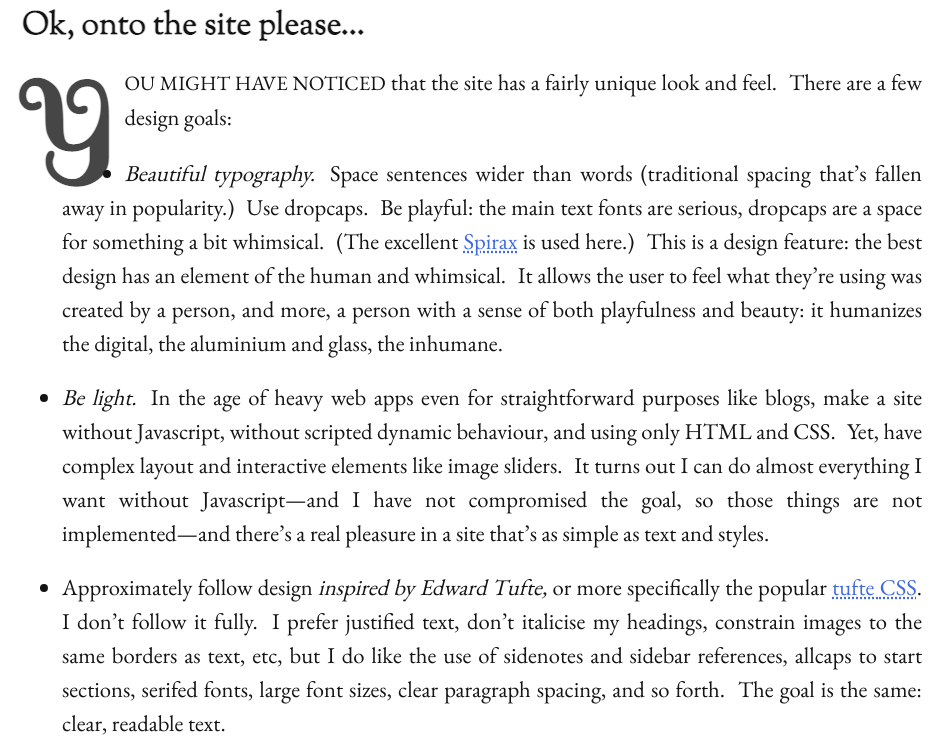
- you make sentence-spacing a major design goal. I looked into that a bit ago and I found little or no real evidence that sentence-spacing is a good idea (https://gwern.net/doc/design/typography/sentence-spacing/ind...) and it would be expensive to implement: you do the only reasonable thing of injecting <span>s... but oh so many <span>s. If you get long pages like mine, that is going to cost you - DOM nodes are not free, soldier! - one issue with sentence-spacing is that you are fighting HTML & CSS the entire way. They just do not want to do it. You correctly note that it's hard, but you accidentally demonstrate it's even harder than you thought: you have justification enabled but not hyphenation... so all that happens is that sentences get stretched out to make them fully-justified and you get large double-spaces everywhere! Your current implementation winds up being not so much 'sentence-spacing' as 'every few words spacing'. (This is especially glaring in the sidenotes, like on the page I'm looking at right now, 'Stephen Zamadics' looks like 'Stephen_________Zamadics'. Since you set the column narrow, you probably want good hyphenation too... perhaps server-side, if you're deadset against JS.) - Dropcap positioning is hard, especially if you'd like it to work on more than one browser, and I'm not surprised yours has problems; pretty much everyone screws those up. (At least, I assume you don't intend the positioning problems like the '1' almost overlapping the 'someone' in cases like https://daveon.design/creating-joy-in-the-user-experience.ht... .) - I think the dotted underlining is too hard to see: much too small and close to the link. Are you sure you don't need `text-decoration-thickness: from-font` & `text-underline-position: from-font`? - Rubricating the entire sidenote on hover seems excessive. - Sidenote numbering is very confusing. They get numbered 1/2/3/4... and then all lose their numbers in favor of ''? Mixing numbered & unnumbered is confusing enough, but then transitioning at the utterly arbitrary '5' let me baffled and wondering if the ''s were supposed to be a separate kind of sidenote like a margin-note. Definitely a case for 0/1/infinity. - Sidenotes come off as cluttered and hard-to-read, at least partially because they are all 1 big paragraph. Breaking them up would increase readability. I hope you didn't inherit Tufte-CSS's unnecessary and artificial limitation to non-block elements...? (I can't believe they refuse to fix that.) - EB Garamond is a variable font, which is a bit of a questionable choice because OS+browser support is still relatively low. (Just browser-wise, it's only at ~95% global https://caniuse.com/?search=variable%20font so add on OS incompatibility... The text should still render, but it won't look like you expect it to. Example: https://share.obormot.net/screenshots/Arcturus_Screen%20Shot... Also shows the sentence-spacing problems & dropcap problems.) - The use of auto-smallcaps (after H1s, I guess?) winds up feeling busy and confusing. Look at a page like https://daveon.design/about-dave-on-design.html where the sections so short - it winds up feeling like smallcaps is just being sprayed around at random, and the logic is lost. - Your image dragging widget is mysterious. The icons are unfamiliar and so small that they signal non-interactive. - am I imagining it or are your <hr>-asterisk-thingies weirdly offset to the right? - The lack of any header or obvious site navigational apparatus, despite the very large header, makes the site feel somehow cramped and confining. You must like your tree - have you considered the classic HTML approach of an image map? - The use of triangles in the ToC is a bad idea. They look too much like collapse/disclosures, which are becoming increasingly common, especially in ToCs like this, especially when the reader has already seen you use black-dots for unordered list markers. - Easter eggs like `X-Clacks-Overhead` are fine, but the page should still validate... (Doesn't look like a legal http-equiv to me: https://html.spec.whatwg.org/multipage/semantics.html#attr-m... ) - You have low-hanging fruit in performance and can definitely render faster: https://pagespeed.web.dev/analysis/https-daveon-design-about... - Tooltips, tooltips, tooltips!
Right now, sveltekit + skeleton has absolutely blown my mind at how fast you can make a usable prototype. It’s honestly insane. You don’t even need to know svelte, really. As long as you can understand the file based routing thing, the rest is just html unless you really need more. Especially with the tailwind stuff built right in and a mostly vanilla looking theme.
I’ve tried probably a dozen different things in the last few months, ranging from Astro to Lit to NextJs to using the built in golang templating system, pug, eleventy, and more I’m forgetting. So far this is my favourite in just about every way.
Take a look at Skeleton's own site https://www.skeleton.dev/docs/get-started Press page down - no scrolling happens. Hover your mouse over the navbar - no scrolling. Print the page - the content is cropped to only what's shown on the screen. I've raised this with them and it hasn't been a huge priority yet tones of sites are using this pattern from the <AppShell> component. Skeleton thinks you can just take your dark theme, invert the colours and end up with a decent looking light theme which just isn't the case.
With DaisyUI you get a more mature/performant/popular framework that takes accessibility seriously. It's amazing what they can achieve with just CSS animations and no JS. It solves the hard part (HTML, CSS) and let's you write the easy part (Svelte). You're also less locked into Svelte - you can much easily pull your DaisyUI html into a different framework.
My least favourite part of tailwind is needing a stock button and having to add 80 characters worth of class stuff just to get a generic looking button, which is what skeleton solves for me.
If you ask me, it’s the best static site builder right now, and a lot simpler than what’s described in this article.
With +page.ts and appropriate setting, you can even generate static website or can go MPA or SPA .
Docs look good otherwise.
Another one I tried was Hugo, but I also didn’t bond with it. I found Go makes it so tough to have your templates be properly reusable if you stick to only the standard library template engine.
All joking aside, I use the same stack save for the templating. Unless you are a web developer I don't see the point of a CSS framework, it's much easier to roll your own. Nor of a site generator, I tried Hugo it saved no time at all. Nor of JavaScript, a few months ago I tried replicating the websites of a few companies to improve my css skills, HTML and CSS were enough to reproduce the appearance of all of them, yet none of their website would even appear without JavaScript enabled.
We stack on framework after framework, new languages, new tools, all for nothing but increased complexity and busy work for a new generation. (Save for the 5% of websites that actually need that stuff.)
Also interesting to see they actually sell a service, would have been curious to know what their prices are like.
Then once all your views are created using these common elements, you only need to transcribe them as classes in your CSS and use those few classes where needed in your HTML.
I'm not a design expert, so take it with a grain of salt, but I used to be terrible and following that workflow allowed me to get decent.
And if html allowed inserting html as it does css or js from external files, even that would be mostly be redundant. If only it let you use <html src="" /> at will.
https://blog.cloudflare.com/edge-side-includes-with-cloudfla...
Edit something, git commit/push, and within 30 seconds your changes are live everywhere. It's pretty awesome, and it requires no "server" hosting.
We are being simple, and I consider a simple PHP site about one step above HTML and CSS in required complexity, and about 5 steps below anything else in regards to tooling/setup/execution.
Pure HTML + CSS, with the CSS in the <head> or inline in each html tag... this is a fine way to get something going. And then when you have two pages, you pull the CSS out to a separate file.
But once you start making any site which has multiple pages of the same format, you want some kind of template system with includes and a (static page) generator.
If your pages are data-driven, then you might want a programmable site generator which can ingest the data and spit out pages.
But if your data is "live", you end up needing per-view page creation, which is at minimum PHP realm (and certainly leaning into modern web framework with running servers realm).
I recently built a pro-bono website for a hobby of mine. The site is a dance promotion and event site, and the owner is a very non-technical dance teacher. It uses Eleventy (https://www.11ty.dev/) to generate a static site on Netlify (free tier), and it has some custom build code which pulls data from a Google Sheet which I have setup for the teacher to use to define upcoming events. It took a good dozen hours to build, but now it works like a charm while costing nothing to operate or manage. Now having built this, I have discovered a great and powerful sweet spot between absolute bare minimum and Rails/Phoenix/Django level.
I tend to refactor on two, but I've heard that letting DRYness lapse until three tends to be the sweet spot in terms of likeliness to break even in effort. Although I guess pages per site is almost guaranteed to hit 3 anyway, whereas in general a block of code being used 3+ times doesn't necessarily have that same likelihood.
Does it make an API guy to the google sheets api client side to populate the data, if so is there a caching layer or does each client get a fresh copy.
The Google Sheet has a script associated with a button which the sheet editor uses to "publish" the changes. That triggers a rebuild on Netlify, and the build does the sheet data fetch. This was better than automatically triggering the build on sheet save, since the save happens within a second or two of every change.
Netlify has an unpublished URL trigger to force a rebuild, and that URL requires no authentication. Thus, one must be careful about making that URL public. But worst case scenario, the free tier Netlify build credits get used up for a period.
If your client asks you for a custom CMS with a multi-stage publishing workflow with i18n and regulation-compliant a11y, you’ll need high-powered tools to build it in the time clients expect. Lots of clients in enterprise are like this, which is why the demand for this stuff is so high. If you’re working in B2C this may be surprising, but this is what the underwater part of the tech industry iceberg is.
Yes, a complicated Next.js setup or Vite toolchain isn’t necessary for a static blog. But the people who are talking seriously about these tools aren’t talking about making a simple blog site (even if that’s what their “reduced teaching case” tutorial is).
So can we just chill with this framework hate? If you’ve got ideas for simple ways to make web sites, go ahead and publish tutorials, and if they’re appealing then people will start doing things your way where appropriate. But please don’t position yourself in opposition to a vague “spicy toolchains and trendy frameworks” enemy.
Furthermore if you're trying to do anything complex and you don't use a framework, you just end up creating another framework.
But this time there are no updates or help on Stack overflow for the person who inherits the code.
An architecture concept just needs a page or two of docs and diagrams to understand, and the code is right there in the app. You don't need a framework to implement relevant design patterns.
Those apps can also last longer, because there's less pressure to rewrite in React/Svelte/Solid/etc when the existing code isn't dependent on some obsolete framework - Ember/Angular 1/etc.
i.e. a framework.
> Then because they're complicated they're difficult to learn.
It's easier to learn a publicly available framework, as there is lots of help on Stackoverflow, and usually the popular frameworks have good, or just existing, documentation.
> existing code isn't dependent on some obsolete framework - Ember/Angular 1/etc.
The "app architecture" can also become obsolete. But now instead of a migration path, you're stuck with the person who made the "app architecture" most likely having left the company.
Not OP but I'm not sure why people think you can't just use different tools for different jobs.
There's times where a framework isn't needed but in my experience its rare, unless you're doing something _very_ simple that won't be changing often.
I can't imagine how a "simple tools" site would work with a team and client... and that's not a diss on anything its just that I really don't see how.
I wrote my post as Gemtext (the Gemini markdown) and wrote a python script that convert it to HTML and generate an index page.
Also, I put the CSS in each page because I’ve 42 lines of CSS and I did the math to show that having 42 more lines in each file would never cost more than having a second http request.
Honestly, it was a lot simpler than expected, without using any python library or any template. The hardest part was generating the email to send to the list. I spent month analysing different frameworks, different static site generators. I spent week trying to find a good CSS.
According to the git history, it took me 2 weeks of hacking to get it done including importing 18 years of Wordpress history. And without having to learn anything because it was straight python. And the best of all is that I can easily change/correct if I’ve a bug. It’s my code.
We, computer scientists, forgot completely that we could simply code adhoc solutions instead of trying to reuse everything. We take more time to learn and adapt than to do.
https://git.sr.ht/~lioploum/ploum.net for the code
(the site itself is https://ploum.net)
I serve my site from a 6502 processor I carved out of balsa wood back in 2003 and epoxied to an ethernet cable. When I want to make changes, I heat the EPROM with a hair dryer until the right bits flip. No templating, no code, no bloat.
It feels nostalgic scrolling down and back through our technological history.
And that's cool. Making stuff is fun.
Maybe I'm being obtuse, but the reasons they gave for not using an established SSG primed me to expect a radically new solution. Versus "we didn't like any existing SSGs so we built our own," which was my takeaway from the whole thing.
A PHP site (for the includes), or an out-of-the-box SSG would make much more sense, IMO.
I'm using Hugo and for my purposes, I always start without any theme. Basically, I start to write a markdown file for each page, and an HTML template, then if I need more complexity I have the power available underneath.
Static website generators are not necessarily complex to use, and they generally stay compatible from version to version so you only need to learn the new features and only if you want to use them.
>We use html and css sooo hip!
>We use jinja wait.. what?
>and self-made file-watching static generator that uses python and css-generator
Are you kidding me? That's the real good case of NIH syndrome.
https://twitter.com/levelsio/status/1675829733668319233/phot...
And if I understand correctly, it's not the index.php, but the actual service behind it, that earns thousands per month. Looks nice :)
Also fwiw, another one here without a logged in Twitter acc
End users don't give a shit what you build it with, but none of it matters unless you're willing to shit products out.
I could also write his cool startup in just one line if I just remove all newlines. Does that make it even better than 14.000 lines? Obviously not.
Not using any modern CSS layout though, ehhh I would never want to return to the age of .clearfix, that feels like the opposite of simple.
Pro tip to anyone looking to do the same without losing the benefits of SquareSpace's WYSIWYG editor: try out Bootstrap Studio [0], which gives you a visual editor but also full control over the CSS and the ability to create reusable components. The licensing is also user-friendly (doesn't require a subscription).
"almost 14,000 lines of raw PHP mixed with inline HTML, CSS in <style> and raw JS in <script> tags"
For comparison, similar sites are a lot heavier (not criticizing anyone here)
phind.com = 1.09MB
you.com = 1.3MB
aisearch.vip = 0.035MB
I still find the ~1MB of other sites to be ok, but 35kB is the smallest I've ever made a full SPA and that's simply because every single letter in the code is specifically made for this one and only site (and uses vanilla everything)
If it is a website - then it is plain HTML with some CSS. The exception is - there will be some JS if we want saucer flying across screen.
If it is an application - the logic will be coded in plain JS that talks to backend using JSON based RPC. No frameworks bar some domain specific libs. Minifying / building step can be included for production.
Works well for me.
You need lots of setup, a web server and web server configuration.
That too when far minimal options like Cloudflare Pages exists that are dirt cheap as well and is somewhat "serverless".
When creating websites, the focus should not be on competing to use the fewest (or most) number of tools, but rather on effectively serving users and ensuring their satisfaction.
*User experience should be the guiding principle.*
What concerns me about this article is their simplistic view that using a minimalist stack is solely a matter of choice, without acknowledging the nuances involved. It comes across as arrogant.
Furthermore, their demonstration of "building a website without frameworks and numerous libraries" is based on their own website, which is nothing more than a static landing page with links to blog posts.
Could anyone realistically build an Uber or an Airbnb using the same approach, even if they wanted to?
A website/webapp with millions of visits per day and a ton of stakeholders requesting features every week, on the other hand...
It all depends on the use case, like most stuff.
If you want a team of people that don't know HTML or rest of the stack to edit, manage and deploy it then you're going to need a more complex abstraction.
The alternative might be a training programme for new staff in HTML, CSS, git and rsync.
You're trading one type of complexity for another. As you say, it all comes down to use cases.
He is using, as far as I can tell, the solarised theme colours.
They are very readable.
[EDITED] https://www.rundata.co.za
It's my site, also using solarised (although, it respects the clients dark/light mode, so you will see either solirsed dark or solarised light)
I also use cloudflare for caching, but that's more because I wanted to tinker with it. Surely GitHub can withstand personal blog.
Historically a blog requires a feed, this is typically where super minimal stacks stop, although I guess you could scrape your index.
I wonder how many web devs can still build a blogging app, a webshop, etc from first principles when mostly it’s all npm create packages and template languages.
I started a php / SQLite blogging stack with basic web based editing and a feed (ah and tagging, a search), hope to add more indie web features to it.
I use Astro for my websites, because I'm familiar with the framework and have used it for many of my clients. Even though Astro is a framework, it doesn't feel like one when creating content inside it.
Just launched my first client project using this approach:
https://trails-shop.at?editable=true (hit the red button in the bottom-right corner)
Project website: https://editable.website
Source Code: https://github.com/michael/editable-website
HN discussion: https://news.ycombinator.com/item?id=35456083
Twitter Thread, that explains how it works under the hood: https://twitter.com/_mql/status/1655553156799922180
Super easy to get started and has lots of goodies to generate static HTML. You can scale it up later if you need more than just a static website.
For now it’s straight HTML,JS, and tailwinds for CSS.
Then I let Parcel do all the minifaction magic when shipping to GitHub pages.[1] Which is the only “magic” in this equation. I could pull it out if it ever broke.
It's a scale thing - today I would reach for a framework for bigger things but lightweight setups have their own place.
Edit: I noticed it's using "rem" for specifying the font size, and I've actually seen quite a few sites where the font sizes look wrong using that unit, I'm wondering if it's something specific to my system (but happens both with Chrome and Edge).
    h("div", { class: "container" }, [
        h("p", {}, "oh hi!"),
    ]) // -> "<div class="container"><p>oh hi!</p></div>"
More recently, for simple websites I created a Golang template that reads a PSV config file. (PSV throwback to my Perl days.) Uses very little memory, no database, and I can reuse the same Go code for multiple websites. I think about sharing the code, but I'm not sure if it's worth the trouble.
I'm encouraged to see people here using their noggin, following their bliss, keeping things simple, and I hope this trend catches on.
Cross Browser compatibility has also gotten better.
basically you just write in HTML, CSS and a wee bit of JS wherever you want it, and have a couple of tiny npm scripts that glue it together.
Put it on netlify, cloudflare, github, or wherever and it scales right up.
In comparison our blog is in Gatsby, and boy does that framework never seem to work right away when we start it up for adding a new post.
For example, one could use rust with some webserver and handlebars-rs to do this. You can add databases to this, and whatever else you need, and it works nicely. If you want to change anything, its very vanilla html, css, javascript, or rust/c++/nodejs/whatever else.
No new frameworks to learn, and you decide the structure.
Now to make a website, first start to design a cluster, what services it will run, the CICD pipeline and after a week of battle forget what was the site you wanted to make.
Even for a certain level of collaboration, I think one could get away with using static sites. I haven't tried this in practice but imagine having a git-based CI/CD flow for a static site, where non-technical end users could use the web-based Markdown editors of github.com or gitlab.com to make small changes, save and push via a pull request.
Each merge is of course approved by a more technical user.
I would love to hear if anyone has tried this model.
Not sure how the GitHub markdown editor would feel for the user. It might be really great, even for uploading images.
I was imagining a static admin page, WYSIWYG, that makes git pushes on submit. These were the headless CMSs that seem to be able to accomplish that:
And not git based, but similar idea of static content editing: https://editable.website/
And this is what the admin edit page usually looks like: https://quick-edit-demo.vercel.app/admin/index.html#/collect...
But it was taking a bit of work to configure.
That part should probably be handled separately just to avoid slowing down the git repo with huge binary files. For example upload an image to S3, note the path, enter it into a markdown syntax image url.
There are many ways to skin that cat, depending on the technical skill level of your client. They could even e-mail the images to a script, or message them to a bot on an IM service, that then returns the URL for them to use in Markdown.
The theme is HTML and CSS plus about 20 lines of jQuery JavaScript to handle simple toggle effects such as the hamburger menu on mobile. Probably could be done without jQuery but I am not a web developer and that's what I know. Posts are written in markdown and the idea is that the others will either send me an email or later will open a merge request on GitLab.
It all feels a bit moot because most frameworks exist to create website that tend to be web apps If you just want static website well it's pretty easy to use any kind of simple templating system that will give you some html + css + optionnally js.
Hell you don't even have to generate the file, you can use CGI to generate your page on the fly with CGI (I like haserl)
If you like or are competent in dealing with quirks, you can do it all by hand instead.
I just got into webdev and I really like Svelte and SvelteKit so far.
Svelte works well if all you want is to colocate a bit of html, css and js. You can really start simple and iterate when you have bigger needs. Now, if I want to make a webapp I'll use SvelteKit even if only for the baked in client side routing based of the structure of the project.
I wish there was a modern version of Dreamweaver that didn't phone home, didn't use "cloud", and didn't require endless payments.
“After Adobe Systems' acquisition of Macromedia in December 2005, Dreamweaver 8 was added to Adobe Creative Suite 2.3 and was later succeeded by Adobe Dreamweaver CS3.“ [1] (Replacing Adobe GoLive, good riddance)
So you could use up to Dreamweaver CS6 with just a serial number (usually requiring one-time internet activation), but anything newer requires regular internet access.
[1] https://macromedia.fandom.com/wiki/Macromedia_Dreamweaver_8
Oh yeah?
and netlify is totally free for an infinite amount of sites! how crazy is that?
> We use a short Python script with exactly 45 lines of code. Including comments and blank lines. > > In summary, this is the simple toolchain for building our web: > > Developer updates index.src.html > Watchdog.py detects the file change and ... > ... renders Jinja template into index.html and ... > ... calls Tailwind CSS CLI to generate styles.min.css.
love posts like these that insult literally any other way of doing things except their way, claiming it's "simple" when in the end they don't even show the step by step code or link to any repository that shows how it's done. regardless of "without frameworks or tons of libraries", its esoteric and definitely not an average or common way of doing things (to the rest of us), and clearly DOES use codes (and/or?) a framework!!!
no description of what the heck "Watchdog.py" is, no description of what Jinja - I for one don't know what either of those are, sorry if i'm an "ignorant normie"
simply put, it's quite clear you ARE using frameworks, just in your mind, perhaps, you "aren't"
this whole framework vs no framework vs BS vs BS vs BS has gotten really out of hand, and 99% of devs cant see the forest from the trees
what in the world did i just read
They describe the steps and provide the clue that it's a 45 line script including blank lines and comments. I think they expect you would be able to quickly replicate their work in a language of your choice and calling out to libraries of your choice.
> no description of what the heck "Watchdog.py" is, no description of what Jinja
The authors expect that their readers know how to google (or ask chatgpt) for simple coding terminology.
> no description of what Jinja - I for one don't know what either of those are, sorry if i'm an "ignorant normie"
The first mention of Jinja had both a description of what it does for them, and a link that you could have clicked to get more information about it. Guess it's easier to post snarky comments on HN.
The specific implementation is irrelevant, you could use any other piece of software to achieve it.
And I can guarantee that at some point, most of you have visited one of two web sites I created. (My company created far more than that.)
It wasn't hard to do what I did. I'm a programmer, damn it. And I hired programmers to do the same thing. None of them struggled with it.
Netlify is hot garbage and you should avoid them like the plague.
I built a startup on a second account, invited a team, and then it started charging me for my personal websites on my first account.
I didn't know about this and they cumulatively billed me hundreds of dollars. When my card info changed, they took my websites hard down. I had no idea either of these things was going to happen.
When I told them their support was 100% unhelpful. No refund, not even a restoration of my websites that they completely deleted.
Do not use Netlify.
You're conflating libraries with frameworks. I see no frameworks listed in TFA so they're not wrong. Seems a weird argument to be getting so angry about
To me as a site visitor, that's more important than whatever framework it uses.
Also, uploading the site via FTP? There are far better options.
I used it myself on many websites. Heck, we were still using the <blink> tag back then. Here’s an Easter egg for young HN readers, search for “blink tag” on Google and see the results ;-)
This feels so forced. Make a joke CV, strip it of any mentions of these "bad" things, try applying. Good luck.
It also teaches you more about your platform. In the end, all these web tools and frameworks are running in that same browser. I find especially with newer web developers, it's hard to solve something in React/Vue/.. because they don't know how to break up the problem. If you'd roughly know how to solve the problem without those frameworks, it becomes much easier to figure out how to solve it with them too.
Finally, I also just get toolchain fatigue. If I want to build a simple landing page, I don't want to learn new stuff, I don't want to read what changed in the latest versions, what the correct way of the day is to set up a project. Honestly, I don't even want to have a build pipeline and module swapping dev server, that inevitably needs to be configured. Just some static html/css/js is often good enough. And as I said, you also learn which problems frameworks solve well, so you'll know when some static files isn't the right choice.
- static. markdown rendered to html using github’s api[1].
- dynamic. a go binary and an html file with inlined js zipped together and shipped somewhere[2].
it’s nice to never consider the machinery of either of these anymore. instead i think about building interesting things.
cf workers + r2 are a great addition to this when heavy egress is needed.
1.
https://github.com/nathants/render
2.
In order to build a website without frameworks, you should master the frameworks first, in order to understand their shortcomings ;)
You don't need any of those tools. You can build a fast website and even a complex reactive web app with plain HTML, JavaScript and CSS and you don't need any transpilation step.
These days browsers have native features that we couldn't even dream about 10 years ago like HTMLElement (Web Components) which you can use to isolate components (each with their own dependencies) and build reactive front ends with very little boilerplate required. You don't even need a bundler these days because now there is HTTP2 which allows servers to preemptively push resources to the front end before they were requested by the browser so the round-trip latency argument for using a bundler is gone. Not to mention the script tag now has async and defer attributes to give you fine-grained control over the execution order of scripts on a page or within a component.
Also, caching controls are on another level nowadays. It's probably even less efficient to bundle everything into a single file as the whole thing has to be downloaded again each time any change is made to any tiny script...
I feel like there are all these amazing native features that are being ignored completely in favor of heavily-marketed over-engineered bloatware.
It boggles the mind... From where I'm standing, it feels like there is a psyop in this industry to make everything as complex as possible. Even the narratives around keeping things simple are over-complicated.
Junior developers these days are accustomed to a level of complexity that I find unfathomable and they are incapable of seeing through the abstractions. There is all this stuff available in the layers below which is less complicated and provides a more elegant solution than all the abstractions you learned, yet you are discouraged from peeking under the hood.
All these layers of abstraction offer nothing substantial aside from lock-in factor for certain large tech companies which benefit from people thinking that building software end-to-end is more complicated than it really is.
How many junior devs were discouraged from building a new website or app because they thought they didn't have what it takes. They could have done it if they knew: It's OK, you don't need to know React or Next.js or NestJS or TypeScript or Tailwind or WebPack or Lambda/serverless or ORMs... There are better technologies and techniques to learn with your time which will make you a better developer much faster and with less pain and unlearning required later...
I wouldn't have a clue how to start with Web Components and all the other things, to build a < 1000 user web app. I've read the Web Components docs and tutorials but there's few tutorials that are like "Here's how to a full system for XYZ; here's to handle templating, routing, API data layer, server-side, etc."
I don't think I have the energy to move off from Sveltekit to a new thing, without having to re-learn everything and make a ton of mistakes
So if you're curious about the concept, check out Custom Elements. Same thing, but no Shadow DOM. I found them to work quite well for a toy project I made a couple years ago.
"instead, here's our way with a DIFFERENT set of frameworks and libraries!"
...you're kidding me right?
They use Jinja templating, I prefer Slim (https://github.com/slim-template/slim#syntax-example) which has a more Pythonic syntax (there is plim [0] in Python for that)
I use Tailwind as well for terse styling and fast experimentation (allows me to write a darkMode-aware and responsive 100 line CSS in a single line with about 10 classes)
For interaction I can write CoffeeScript directly in the page [1] and have it compiled by plim.
I run a Caddy static server [2] and use Syncthing [3] to have every file save deployed instantly to my Hetzner server.
I use entr [4] and livereloadx [5] to rebuild the pages and do hot reload on file save. All the commands are managed in a simple Makefile [6]
———
You can already see how the footnotes take up a large chunk of this comment, this is not my idea of simple. Sure, the end result is readable static HTML and I never have to fight obscure React errors, but it’s a high effort setup for starters.
Simple for me would be: write markdown files for pages, a simple CSS for general styling (should be optional), click to deploy on my domain. Images should automatically be resized to multiple sizes and optimized, videos re-encoded for smaller filesize etc.
I have mostly implemented that for myself (https://notes.alinpanaitiu.com/How%20I%20write%20this%20blog...) but it feels fragile. I’d rather pay for a professional solution.
[0] https://plim.readthedocs.io/en/latest/
[1] https://github.com/FuzzyIdeas/lowtechguys/blob/main/src/rcmd...
[2] https://caddyserver.com/docs/command-line#caddy-file-server
[4] https://github.com/eradman/entr
[5] https://nitoyon.github.io/livereloadx/
[6] https://github.com/FuzzyIdeas/lowtechguys/blob/main/Makefile