Ran into one recently that was high-rez graphical. It needed a USB mouse to change critical settings because the tab order for the onscreen widgets didn't work.
Anyone responsible for creating graphical EFI config screens should stop writing software for the good of humanity.
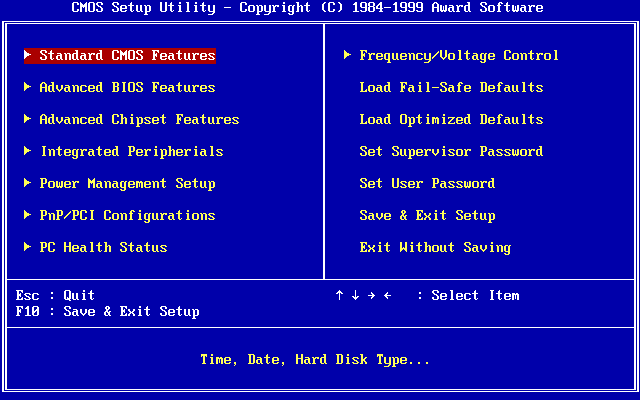
https://upload.wikimedia.org/wikipedia/commons/0/05/Award_BI...
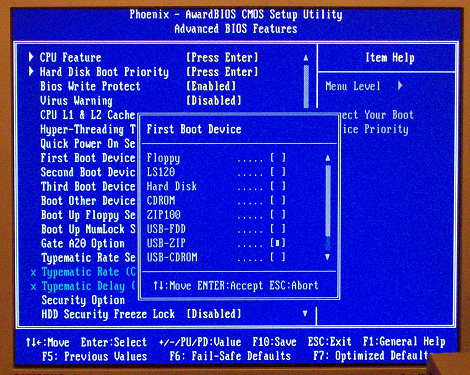
https://liveusb.files.wordpress.com/2010/05/awardbios-firstb...
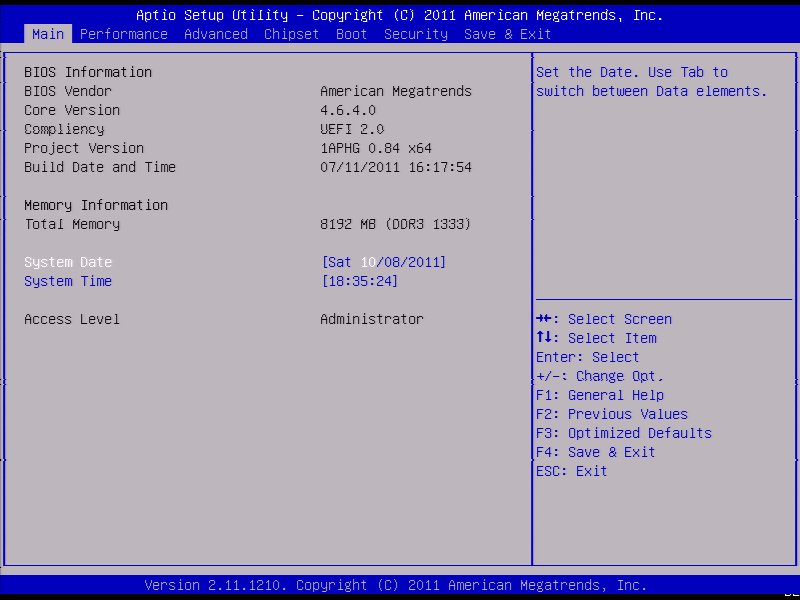
And the simplified crap with tabs that often came with prebuilt PCs but later seems to have spread to others too:
https://cdn.staticneo.com/a/Intel_Sandy_Bridge_Z68_P67/S%20B...
Long-time Thinkpad users scoff at that ... while the figure of a duck suddenly enters their minds..
(Yes: I clearly remember my pre-USB thinkpad having a graphical BIOS with windows, icons, and a duck-shaped mouse cursor).
BIOSes of the time were all written in highly-optimised Asm, and I suspect those little "easter eggs" they added were because the programmers knew they had enough space left over to put some more fun stuff in.
There was also AMI WinBIOS that provided a GUI, but I remember it being much less featureful than other BIOSes of the time with a TUI and didn't like mobos that used it, so in that case they may have sacrificed functionality for appearance.
I've had a GUI BIOS setup on almost every PC I've owned since the first 486 I built back in 1993.
UEFI actually lets you provide both touchscreen-capable bells&whistles gui, and a text UI for the frankenstein VT-UTF8 standard (essentially, VT-220 compatible with UTF-8, kinda like linux console) - all in mostly one codebase.
There's a standard UI description language which is used to specify menus, options and values (and how they are written into nvram), which is then interpreted by text mode interface driver (enabled when you connect over serial port) and graphic mode interface driver (where you can drop all sorts of graphical bells & whistles).
It's also how you can integrate menus from add-on cards into firmware setup.
Besides, there’s nothing to prevent you having a nice graphical boot configuration while still having a text version as a fallback (which is exactly what Intel Macs do)
That said yes, there’s no reason why there shouldn’t be a low rez textual fallback.
> Seems a bit overkill for something people rarely use.
Okay, but a lot less so than a full GUI with mouse and thousands of colors, like many motherboards have gone to.
Got into the temps, realized that the CPU fan had been plugged into an AUX fan header instead of the CPU header.
Fan was spinning, wouldn't have thought to check if the EFI wasn't crashing.
I'm completely joking of course. I completely agree with you, I miss text-only mode. The modern Dell one stinks, the Asus one stinks...I have no data, but I'd be shocked if Gigabyte or ASRock were any good... :(