I used RISC OS at home. Was wonderful to come back to that.
Still love the old Acorn machines. I mostly use Arculator[0] nowadays for that nostalgia though.
There's a nice emulator here, a WebAssembly RiscPC one. Works quite well: https://rpcemu.m-h.org.uk/
Same here.
Windows 2 and Mac System 6 at work, RISC OS 2 at home -- faster, more responsive, more capable and flexible, and much better looking.
Some of my friends had Amigas and to me, oh wow was AmigaOS 1.x fugly.
40 years later, KDE still is.
GNOME is beautiful but it's so limited it feels like trying to operate a mouse and keyboard with my feet while sitting on my hands.
COSMIC feels fast and powerful, but it is not easy on the eyes, and the keyboard UI is poor.
On FOSS side, I would vote for afterstep, windowmaker, original GNOME with sawmill, and KDE.
I wasn't a big fan of Windows 3.1 or Motif in their heyday, but compared to the visual chaos we have nowadays they're looking pretty good.
"Trust Me, You Want SunOS 4.1.4 on Your Older Sun Boxes"
(May 4, 2026)
https://oldsilicon.com/technologies/sunos-414-older-sun-boxe...
But when I was assigned an Ultra (1?) workstation at my first full-time job, I found that it was a better user and development experience to ignore it and use Linux on my Dell notebook, which I think was a Pentium MMX running somewhere around 200 MHz.
gsettings set org.gnome.desktop.interface overlay-scrolling false
A nice vibe coding project here would be to show these in a carousel with the UI being 1:1 pixels. It’s hard to understand just how different NeXTStep (Did I capitalize that correctly?) felt from Windows — part of it was refresh rates, but part of it was going from 800x600 to 1132x800-ish on the monitor. Color, refresh rates, monitor quality, a cool plastic color and design for the box were all part of the experience.
GEM + Ventura Publisher http://www.typewritten.org/Media/Images/ventura-publisher-1....
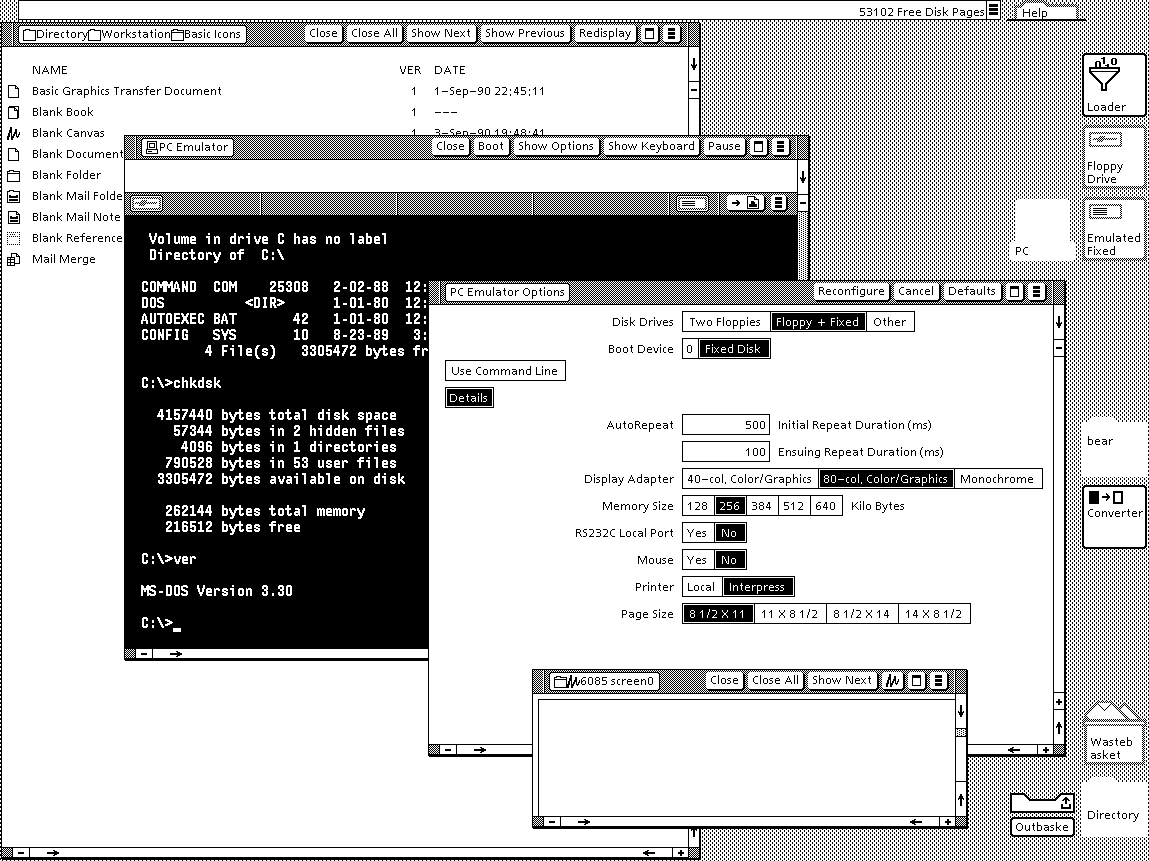
Viewpoint http://www.typewritten.org/Media/Images/6085-viewpoint-2.0-p...
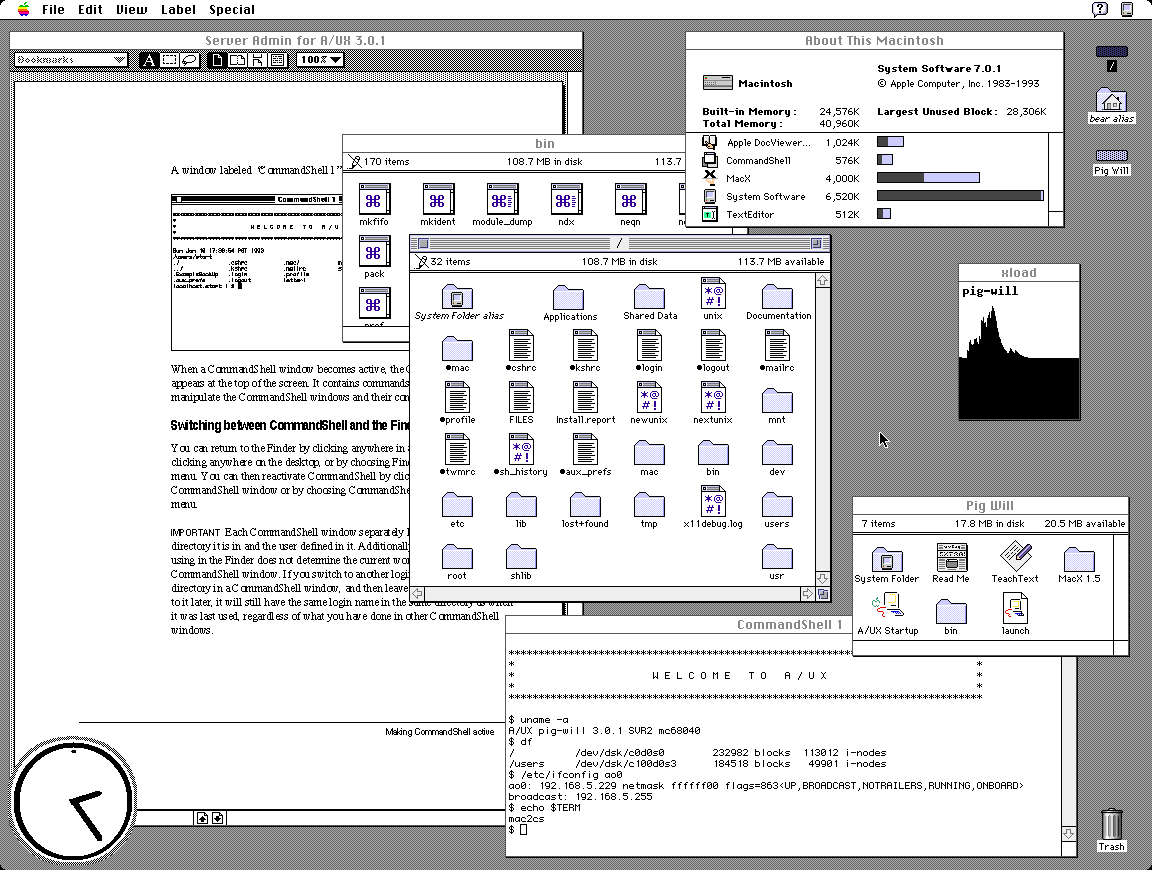
AUX http://www.typewritten.org/Media/Images/aux-3.0.1.png
It's suprising at first look that GEM tops my preferences but I recall having a very fond time on the Atari ST 520+. It had one of the best b/w monitors and TOS+GEM was orderly and uncluttered.
Only preemptive multitasking and per-window menus were missing. As a plus, the OS was in ROM, so boot times were <1s.
Subsequent ones were designed by UI designers, and opinionated senior managers, who already knew how to use them, and took out usability features to make them "look nicer". This sort of worked when the opinionated manager was Steve Jobs. Most managers are not Steve Jobs.
> in some applications they seem to have taken extra steps to make it difficult to find the line to grab
Pet peeve of mine in Windows where the line is at most one pixel now. They also took away the coloured distinction between title bars for the active window, so you don't know where keystrokes are going to go.
But we did gain some nice things!
- Tabs.
- Titlebar buttons and other space-saving measures.
- Document editors remembering unsaved changes.
- Forms that validate on focus lost, instead of submission.
- Ctrl+P menus to fuzzy-search all actions and settings.
- Easy syncing (if I open Spotify on any device I'll see the same playlists, my clipboard is shared between phone/desktop/notebook, Immich integrates local and remote media, etc).
- Program-specific URL protocols, so that you can click on a link and have it open in a separate program (like `steam://open/games`).
I grew up with Windows XP. We had most of these (except the titlebar buttons — although on second thought some custom Windows Media Player skins did have that, haha).
We all carried USB sticks around. So you always had your files with you. The computer itself was interchangeable, for the most part. (Which also led to my interest in portable apps.)
Ubuntu is great for resizing - alt + middle click anywhere on the window. If only other OS'es could do the same.
I wonder how hard it would be to make a thing for that...
As much as it pains me to say it: custom Linux distros are not often deployed en masse. Especially not the ones that “look old”.
At first glance it looks like this is much more breadth over depth. Quite an array of systems here.
I'll be honest, 1053 might be my favourite xkcd comic ever, purely because it's so encouraging of sharing knowledge and learning new things. Always excided to see the lucky 10,000 mentioned in the wild.
It's one of my favourite things, looking at and analyzing older interfaces. Some are lovely, some are cute, some are ugly, but most are... "naïve"? I love to think about the effort, the research, the trials and tribulations. I feel I will spend a great deal of time in this page!
First and foremost to me those screenshots are somewhat disappointing as they can't match my memories. NeXT, BeOS, Irix, OpenLook, SunOS, Arthur (imagine the diversity)... they were SO awesomely impressive at insanely high multi-sync CRT resolution.
Reality simply can't match the mind's eye, at least not for me.
One that does seem to be an odd man out is Genera. What a concept.
Hardware features are contained in the kernel. GUI has nothing to do with them.
GUI frameworks provide features for applications to draw their UI.
A selection of numerous windows managers and desktop environments allows you to choose the best GUI shell to work in.
It is somewhat of a bazaar, with different components sometimes not fitting perfectly into each other and there's a constant migration to a best new thing, whether it's systemd, pulseaudio, wayland or pipewire, but generally things work OK and it's not like Windows today offers a significantly different experience.
Windows is beyond salvation at this point.
I don't know why people suggest Linux for desktop use at the first swoop. I dislike it. I dislike how janky its various GUI desktop managers are, I dislike how edge cases that are handled straightforwardly on Windows just aren't on Linux. Things like high pixel density, different audio setups, multi-touch trackpad support, notebook battery life management, and more. The bazaar thing contributes to all of these sharp edges and jank.
> Hardware features are contained in the kernel. GUI has nothing to do with them.
What I listed aren't only hardware features; they are platform interfaces that can be programmed against to produce user-mode applications without having to muck around with kernel interfaces. In fact the less as a user or user-mode developer I have to work with the kernel, the better, and Windows provides a gigantic surface area for that.
And more importantly I dislike the sanctimony of the Linux community, I dislike the distribution and the linking model of most desktop distributions, I dislike how it is 'developers first' and not 'users first', unless a giant entity rewrites the entire user mode stack to provide a useful, straightforward, and mostly intuitive platform interface (that is, Android).
I am happy with how Windows works, I like a Windows workflow, I like developing for and on Windows, I like gaming on Windows. I've used it for 26 years and broadly have no issues with it. It is a pretty superb platform which regressed after Windows 10, and about 99% of the problems with it are user-mode frameworks and applications, thin coats of paint. Windows isn't even close to 'beyond salvation'.
I know that you said "no React" but you might want to try ReactOS. Of course if you don't need Windows-specific driver support Linux+Wine might suffice for your needs.
For the people that didn’t live through this time, lining these images up makes it obvious why those that did speak of how visually impressive the Amiga was.
Except missing that sock and falling down into the dog's path and understanding the concept of fighting like cats and dogs.
I just found out that the theme song is on Wikipedia.
Certainly it doesn't feel any easier to manage multiple windows than when we had a quarter of the screen space.
When I first saw Win95 with a cleared desktop, I immediately thought - where has everything gone? Why is this empty? Decades later I still think it's cumbersome to have to look and press at bottom left to see all the programs every time.
[1] proportions and locations can be set
Also, a "sweep" button that quickly clears the desktop into a "desktop archive." I do that manually anyway with my own "sweep" folders. Every few months I delete and categorize within the sweep folder. Keeping the desktop clean and organized is the new frontier, especially as screens become smaller and people don't want to lose flow.
Verbose response, but what are your thoughts? Maybe use voice recognition that uses lip-reading through a camera to launch or modify?
Mice and keyboards are just so passe, right, but I wouldn't go so far as getting a brain chip? Maybe a spherical "touchball" that senses the pressure of each finger to move a cursor? Trackballs are too laborsome. I have my mouse on maximum sensitivity and acceleration anyway.
> Maybe use voice recognition that uses lip-reading through a camera to launch or modify?
This feels like the result of a competition to design the worst possible user interface. To about 5% of people it might be an accessibility feature, to everyone else it's worse, and people with beards, marks, or dark skinned faces are going to find it a disaster.
True, it's not a good solution and there is Subvocal Recognition (SVR) that detects electrical signals in the neck or jaw using pads. Hall effect keyboards are pretty good in terms of sensitivity I find.
Lip reading by HAL was also a disaster for Frank Poole.
Maybe a large screen that can easily be flipped vertical/horizontal would work well. People already do it with the their smartphones - why not stationary screens? Have the OS detect when it happens so it can make any predetermined layout changes. Maybe have it rotate using a small motor? Cable connections into a base unit to avoid entanglement.
In terms of screens - I think two volume dials to adjust for brightness and another one for blue-light would be ideal. It should be super easy to do at a hardware level. On 24 hour programs if really pedantic. Maybe an external "volume dial" pad that can be plugged into a USB-C would be suffice and it could have a light and movement sensor as well to take a computer out of (and into) suspend and set the desired brightness according to the environment.
There are rechargeable closet lights that already have movement and light sensors - just need to adapt it to a screen.
Historical workstation desktop interface screenshots - https://news.ycombinator.com/item?id=36191713 - June 2023 (55 comments)
Retrotechnology – PC desktop screenshots from 1983-2005 - https://news.ycombinator.com/item?id=15968745 - Dec 2017 (58 comments)
Those really were magical days.
I wish projects like nextspace could get more love.
https://www.xanthos.se/~joachim/OpenVMS.html
VMS DECwindows Motif 1.0 was released in August 1991; it is difficult for me to comprehend that was 35(!) years ago. I still have a mouse pad from the release party.
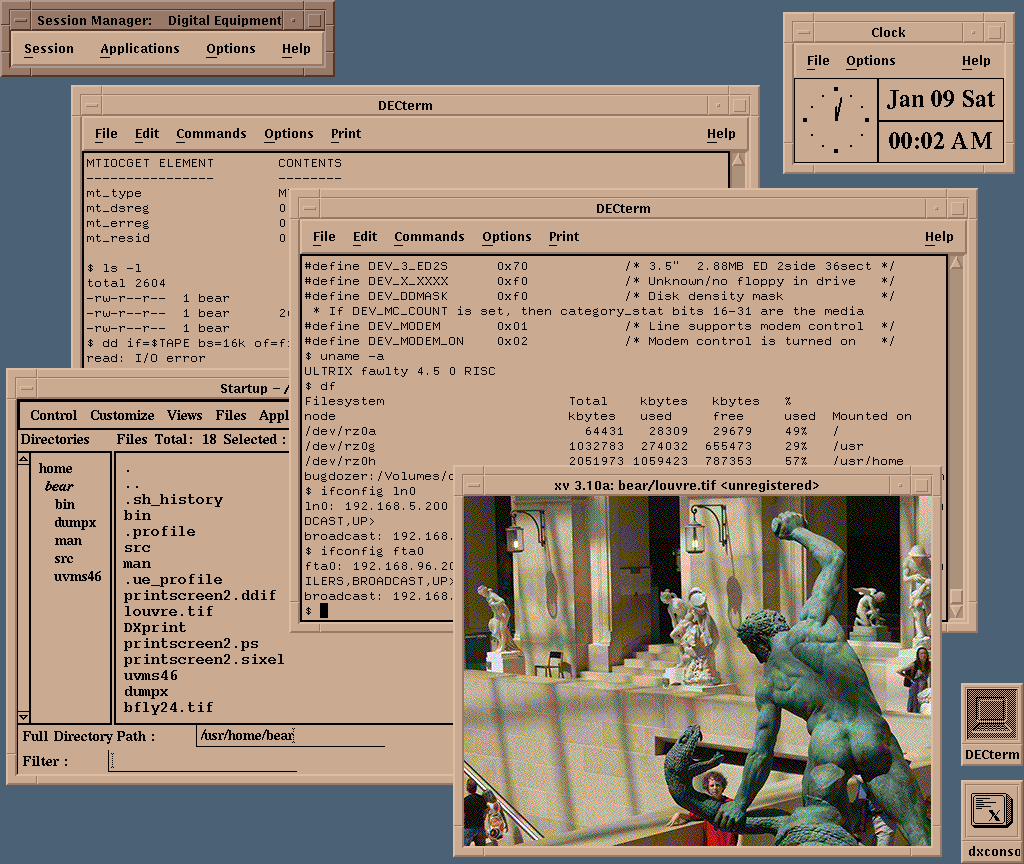
http://www.typewritten.org/Media/Images/decwindows-ultrix4.5...
Like the old Windows 98 UI (probably biased) to me just handles so much, why can't apps just look like that? Its boring sure but there's no complexity or inferred action there like modern apps ?
Why do seniors struggle to use modern mobile phones but in those days they could easily work through those UIs?
Just some ranting here but it's shockingly better than what I have currently on Mac
Yet, I remember being around in the 90s and helping seniors navigate Windows98. While it was Windows 98 offered an easier UI/UX than 3.1, was it really superior over the UI/UX of modern interfaces and application design?
I too dislike Mac interfaces, and think that KDE is likely the best UI ever. While on KDE, lets include the also German, and now discontinued, YaST over Windows98 control panel!
I also love to collect old xpm icons from that era, and try and assemble arcane FVWM configs that weave them in.
Oh, NsCDE is a great start if anyone wants to emulate some of the Solaris screenshots in the collection.
http://www.typewritten.org/Media/Images/decwindows-ultrix4.5... <-- XV! I used that back in the day. Does anyone remember gv too? GhostView? Another great Motif application for pdf documents.
Reviewing the screenshots here, I realize profoundly that something about the idealism of the 1990s is baked into them; the 1990s a time before the bad vibes of commercialism mostly destroyed the interwebs.
This collection is a great complement to the everything-x86 PC workstation jungle of the day.
I built a huge tower PC server to run NeXTStep in 1993, but I had no idea how difficult hardware comparability would be. It was a journey. But things improved quickly. So I installed lots of these: OS/2, Windows NT, NextStep, BeOS, Linux, various BSDs.
I found a Computer Shopper from that time. I'm pretty sure I bought one of the tower cases from page 786. Great stuff. Tell them I sent you!
The first computers I used were 486 with DOS and early Pentiums with Windows 3.11 and nothing looked nearly as nice. Some of those old screenshots look A LOT better than stuff 10 years later that I used (incl MacOS 8 or 9).
Font rendering on Windows 3.11 was pretty decent, so long as one used the nicer TrueType fonts --- Times New Roman and Arial had man _years_ of hinting effort by Monotype which kicked in at typically screen sizes --- that said, certain apps would still use the older pixel fonts Tms Rmn and Helv (over which Linotype sued for trademark infringement which is part of why Monotype got the contract) as well as the "vector fonts" Roman and Modern which are (one can still access them in Windows 11) stick/plotter fonts like to the Hershey fonts. When I bought my copy of Windows 3.0, I drove almost 100 miles into Richmond to get a copy of Adobe Type Manager 1.0 for Windows.
I got an 800x600 LCD monitor in about 1999, and it was a massive upgrade.
NextStep/OSX was the only desktop OS that did not feel like a downgrade from Amiga Workbench
I think its obvious that there's a degradation in business products as they age. They become more 'competitive' which means more profit-seeking, so the marketing end of things takes over and the engineering end takes a back seat. Simplicity is replaced with shiny and complexity to catch more edge case sales. Weird cargo cults emerge, product manager cults of personality, etc instead of following proper usability guidelines. Industry fads become self-fulfilling prophecies. Lockdowns and walled gardens emerge because they are more profitable than open systems.
Today, I almost can't believe how hostile and bloaty Windows 11 is and MacOS isn't much better. At least we have FOSS, but the commercial end of things is 'late stage' and frankly awful.
There's a real tragedy how capitalism always leads here. I sometimes wonder if the USSR stuck around what a more technocratic-led system would produce compared to the West.
I also hope to see resurface binaries/sources of other server implementations, Sun Symbolic Programming Environment (which was originally developed at Schlumberger, including LispScript), the sources of the PdB compiler, CMU Andrew wm (although is not directly related, is the ancestor of this window system, from the same authors), and whatever is related to this system.
It would be interesting a revival like Interlisp.
Speaking of the early 2000's, man, Aqua was such a good design. I appreciate the nextstep paradigm and design, but Aqua was just so futuristic, in a good way.
And virtual desktops/workspaces also had that awe-effect back then. Although with multimonitor setups this faded a bit.
However, that paradigm made computers daunting for anyone who wasn't an enthusiast. While I’m nostalgic for that level of transparency, I recognize that those hurdles stood in the way of mass adoption.
We might lament how 'dull' or 'abstracted' modern software feels, but technology's primary purpose is utility, not just to be venerated as an artifact.
THAT SAID, I still believe that user-friendliness isn't an excuse to strip away agency.
Modern simplification shouldn't feel like a forced lobotomy of the OS (or any piece of software really). There’s no reason we can't have both: an interface that stays out of the way for the average user, while providing total control for power users.
Whatever happened to progressive disclosure?
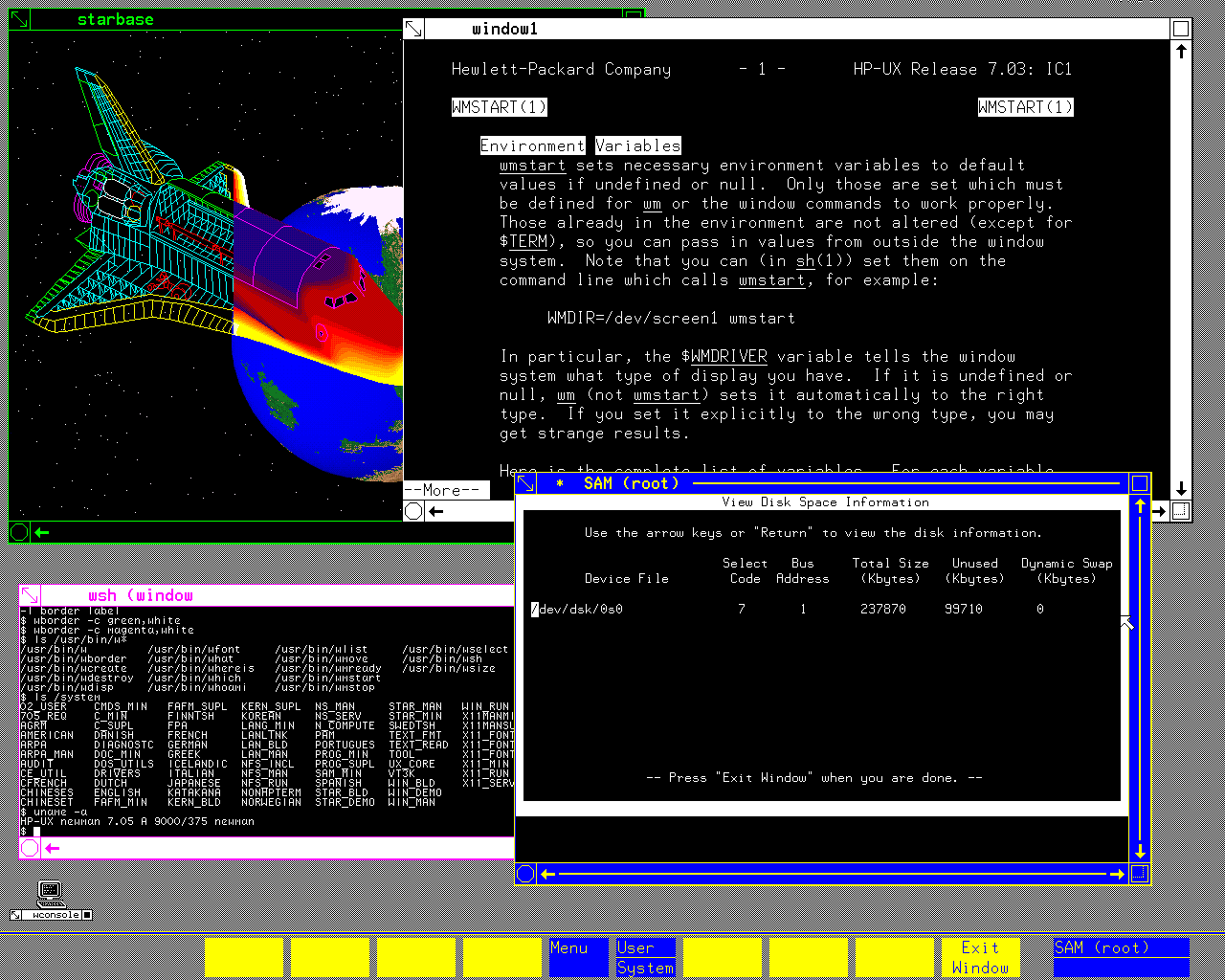
There is a `man` entry displayed in a terminal window there. The first Unix I've ever touched was HP-UX on an HP-9000 (server series, not the workstation one), and I have this memory that the underlined words you can see in that manpage as well were actually hyperlinks you can select and would bring you to the relevant section of the manpage that discussed that term. Am I fabricating that memory or is it real? I cannot find any info about it on the Internet.
love a good screenshot easter egg
I'm studying old operating systems, because it's very interesting how we've been so productive with less screen pixels than we have today. It's basically mind blowing that 800x600 pixels have been a long time enough to get work done.
Currently I'm typing this on an iPhone 17 with a larger screen and after all the years there is nothing like a good charting, dashboarding or spreadsheet on it.
https://www.stardock.com/products/windowblinds/
I seem to remember it was available at the same time as the Winamp skins / viz craze.
There's even maybe some Actual Scientific Evidence to justify the switch: https://news.ycombinator.com/item?id=47638928
System76's COSMIC DE has been a real life-changer for me in making tiling accessible.
I understand that https can do that to, but its usually the none https that does, so its a decent configuration to have
Please consider making the site https
A recent favorite of mine is this one. Timestamp starts at the final submission being reviewed: https://youtu.be/DxEKF0cuEzc?si=mqE_2vpKDBsMWlKW&t=557
It would be more representative of the OS, and the era, to have a height-doubled "HiRes" screenshot, 640x200 or 640x256.
Interlaced workbench setups weren't uncommon. I ran such on and off for years for certain productivity stuff where I wanted more screen real estate, until I decided to spend money on a flicker-fixer.
Yes it is, was my post unclear? Following your suggestion that someone might contribute a screenshot of 1.x, which I agree would be a nice addition, I'm suggesting a "HiRes" screenshot of 2.x or 3.x would be a better representation of how it looked in-period to the vast majority of users. The point is just that the icons, text, and general UI chrome were designed for that lower vertical resolution.
I ran the interlaced modes later after buying a flicker-fixer, but didn't know of anyone who used them without one - the flicker meant those interlaced modes weren't generally considered to be very usable.
> /tmp/med_16.sixel
... Is that Sinfest? From before the author went weird? If so, then that's certainly a very different way of feeling old than I expected when clicking the link.
P.S.: There's another in "RiscOS 3.71", and "System V Release 4 Amiga Version 1.1" references Penny Arcade. [0]
[0] https://www.penny-arcade.com/comic/2005/01/05/the-merch#
Yes it is.
I still read the comic, but it is very strange and unpleasant, really actively nasty, now: currently it's in an arc of why Jews are behind all the world's problems, and how Hitler was good really.
I am sort of staring in daily horrified fascination. It's like a slow-motion catastrophic road crash.
What the hell happened to a Japanese American to turn them full Nazi? I mean like real "the Germans were wronged, they had the right idea" Nazi?
I had a monitor that had a switch in the back that would change those colors to red-yellow-green. It was still awful but at least it was less awful than white-magenta-blue
To me they look unwieldy, heavy and overwhelming and I can't help but think the love for them is just the love for youth or whatever
That person’s gonna be very rare, while lots of over-25s have that experience.
I am also glad to have switched to Linux in 2004 already. Once you have been using Linux for a while, whenever I use windows I am annoyed at how slow it is. Just file copy operations alone and then billion excuses windows developers make, trying to copsplain why it is so slow. When I have to backup 30GB, I don't want an explanation why it is slow - I simply use what is faster. And that's just one advantage of many more Linux has. (I use the commandline most of the time though, so KDE and GNOME are IMO just pointless eyecandy these days.)
Yes, it does. So much so that Apple noticed and sued.
I gave some links in:
1.https://imgur.com/a/h6dxDRv (circa 1985)
2. https://imgur.com/a/IlJSlJT (circa 1986)
3. https://imgur.com/a/AIo3jdk (circa 1988)
But using only one level of library to draw on the screen "is so lame'. /s