* Price disclosed - Yes, it is not my false. No way to put price there. I don't want to baiting so I provide trial.
* File save location - You can export at current version, either in page or Library level. I am working on iOS version, after that TextNut will support icloud and dropbox.
* WYSIWYG - I believe this why TextNut is unique with others, it does not mix markdown delimiter with content, also provide a way to switch between markdown and rich mode
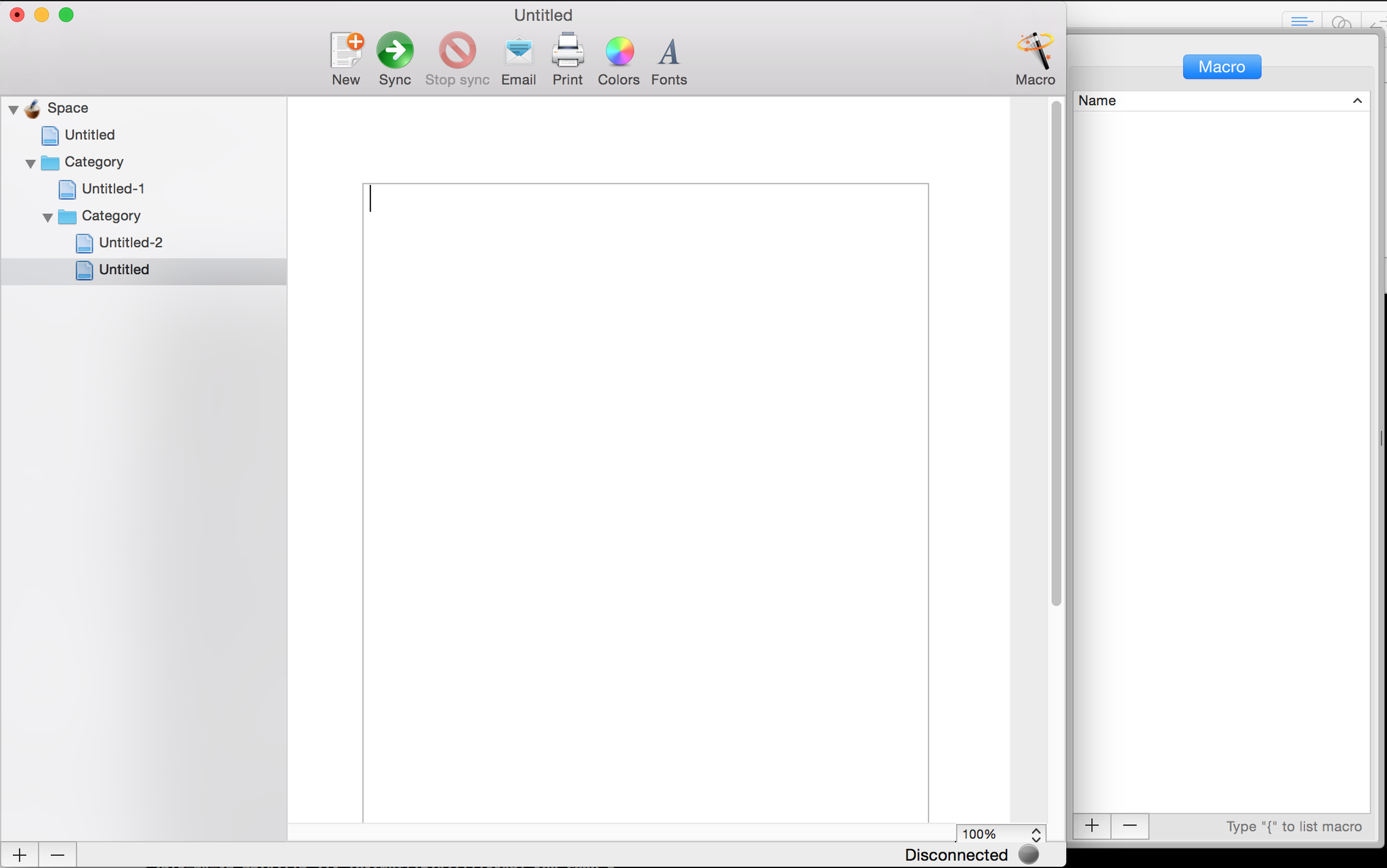
* Ulysses - unfortunately, after a few version upgrade, its UI more like Ulysses. Although I prefer you say I "rip-off" from Apple Mail most. Actually, I inherit most ideas from geniuswiki that I made since 2007. (That is why the link, image, footnote using curly bracket { to open popover!) I checked in first line code of TextNut in early of 2011, but I stopped only after very roughly UI code https://pbs.twimg.com/media/CDxHr19UIAEVArE.png:large. Although UI looks more different with current, but basic design idea never be changed since then, 3 panes: doc tree, editor, help(was call `Macro` from geniuswiki), doc title is updated by content, etc. I restarted TextNut dev since the middle of last year, I got a out-sourcing UI designer and give my first version design http://www.textnutwriter.com/img/1.png. After I add Theme in 1.1 version, I set the default theme as current light grey as it can accepted by most writers. In latest 2.1 version, Tree structure doc tree is supported, then final version looks like current. As independent developer, I only invest very small amount money for UI design. I hope users can more focus on core functionalities rather than colour palette at early stage.
- Mou http://25.io/mou/
- MacDown http://macdown.uranusjr.com/
The latter is free and open-source.
There's the financial incentive, as pointed out in other comments.
Then, what I think it is most important, the technology support. Take just Cocoa, Core Animation and Quartz Composer and you are already light-years ahead of the competition. I won't even talk about things like the Win32 API or the existence of Swift.
'Pretty' Windows apps, in particular, are a royal pain to create. Unless, maybe, if you target Metro.
You can make them pretty even on Windows. However,if you want to keep using native controls, the effort will be enormous. Many applications switched to using embedded browsers because of that. If you are not using standard controls, then you lose things like screen readers.
1. Learn how to work with XAML
(1.5. Know how to make good looking UIs)
2. Done.
Really. If you're forcing yourself to use WinForms, you're doing yourself a disservice. Any Windows Dev that wants to push out good looking application should learn how to use XAML. You can even ignore the databinding part if you want.
That said, TextNut looks an awful lot like OneNote UI wise.
I believe the major problem comes from the fact that most people developing for Windows are either doing it for free or for internal tools. There are very few tools that fit Apple's market of consumer focused applications, and the financial incentive clearly isn't there on Windows.
This would be awesome for keeping notes in plain text that will stand the test of time.
I agree with you. You remind me there is a need in my editing workflow for a diff or divergence tool across my targets: github, PDF tooling and popular free editors where collaborators might be working.
I'm happy to learn in these comments about the http://commonmark.org/ effort.
Still a nice app in so many ways.
TextNut looks like it will combine the two (organization and editing) but I will wait until it has flatfile compatibility.
If so, this is useful. If not, this is a missed opportunity. I don't want you controlling where I store and open things, but I would very much enjoy a nice Markdown editor for writing things.
That said, whilst writing this comment it occurs to me that CommonMark might also be an effort I've never heard of to standardise out some of John Gruber’s original undefined spec behaviours, but as a developer Github flavoured markdown is the de-facto standard as it has many well written and well-tested implementations.
> We propose a standard, unambiguous syntax specification for Markdown, along with a suite of comprehensive tests to validate Markdown implementations against this specification.
For programming, I use Adobe's Source Code Pro.
However, for writing non-code, what do you recommend?
I'm currently trying Adobe's Source Serif Pro, which isn't bad. There's also Source Sans Pro, but I would have thought a serif font would be better for non-code tasks, and more pleasing on the eyes.
Other recommendations?
They have an Android version as well, but I have not used it.
[1]: http://writeapp.net. Incidentally, I've been using it for a few months and it's pretty nice.