For example, we have a family email address (for shared bills, banking etc) and have use cases for a VPN so we pay for a ProtonMail Family subscription to include both. We also pay for 1Password Family (until ProtonMail's ProtonPass is good enough). I was considering paying for Notion so we could manage our various existing Apple notes, lists etc in a shared space (although I think it's overpriced for this use case).
This got me wondering what other software or tools are out there that have found their niche amongst bringing families value. What software (or hardware) have you bought/maintained a subscription for that has had a positive impact to your family life?
I accepted paying for it after the trial because every other search engine just sucks or isn't customizable enough in comparison. Not to mention ads and tracking.
Kagi results are really, really great. I find it better than Google for technical queries and better than DuckDuckGo for localized queries. Unfortunately, it's not 100% SEO-trash proof, but I can permanently block those domains from results in one click - a refreshing experience. The AI quick answer is on par with Bing's (more accurate than Google's), but the best feature is the possibility of banning/re-ranking websites (such as those SEO-spam ones).
This feature is probably the one any family member will find useful: prioritising websites they like the most and blocking/down-ranking those they dislike. For example, I hate Pinterest and have banned it. My girlfriend, on the other hand, loves it and gave a better ranking. Guess that's what customisation is for...
The lenses are probably also family-worthy, since you can quickly create personalised results pages for good sources for homework research, safe online games for children, trustworthy news for your grandma, etc. But I've never used it extensively yet.
There's also some minor features (auto-login link for anonymous tabs, bangs, news, etc) that you pretty much expect from a search engine nowadays, too. IMO, the most complete and efficient search engine I've used so far.
I really wanted it to be great, but for the things I search (I am searching mostly extremely technical, and domain specific things), I found myself doing the same search on Google by prefixing !g, and Google nailed it so much more a lot of times. So much so that I didn't even finish the free trial, but went back to Google as my default in the browser.
Maybe I'll give it another go in a few months, but for now it's not for me.
I will give it another try in the future and hope my experience is different. I do like the company and the vision behind it.
In either case I need to re-search, but at least I didn't contribute to adtech and have some control over the results.
It is an always-on screen (during the day) where everything family oriented happens: all our calendars merged for today and tomorrow (and important events within 6 days), weather, when kids are back from school, info when I am on my way back from work, various alerts on stuff breaking at home, etc.
When I finally installed it, my wife told me to get rid of this monstrosity. After a few days I just switched it off one evening and the morning after it was chaos at home. Switched back and fast forward to 7 years and there we are.
Probably the most useful thing I built in my life.
The aim of this dashboard is to be always-on with the following information displayed (a link to an image of the dashboard, there is not much available at this moment: https://imgur.com/a/pHSIBcO)
- current time and date
- current temperature as seen by Netatmo in my neighborhood
- estimations for rain in the next 60 minutes - from Météo France
- weather forecast for today and tomorrow
- all family calendar merged for today and tomorrow + specific events within 6 days
- alerts when there is a water leak, or when something is broken, or when flowers need water
- when are kids coming from school today and tomorrow
- information when I am driving or biking from the office with estimated arrival time
This is powered by a keyboard- and mouse-less old Raspberry Pi and displayed on an old screen mounted on a wall (one day it will be neatly mounted IN the wall. One day.). It is displayed with
I am not a developer but wanted to do the software part anyway myself. There were several changes over the last 7 or 8 years. Initially I wrote a backend that would query the information from the various sources but I ended up with a purely client-based SPA that connects to Home Assistant, which in turn retrieves all the information and keps state.
The frontend was the opportunity to learn JS/TS/Vue and I rewrote it three times to learn Quasar and recently to move to a pure Vue3/Vite/TailwindCSS frontend. It was a fun trip. It helped me enormously to also learn how to interact with APIs in less-ideal conditions.
I also tried to directly use the dashboarding capabilities provided by Home Assistant but I did not really like everything. I may revise this one day if I get a touch screen (a touch monitor) because then it makes sense to use the widgets HA has natively.
Coming up next: the ability to have several screens switched by a button
I tried doing this with an Android tablet, but the screen is just way too small. Now there are really nicely sized (15.6") USB-C -powered displays for around $100 that could be paired with pretty much any Raspberry Pi to do the same.
Or I could just shove an old 24-27" inch display on the wall with a VESA mount...
Some stuff you want in agenda-format (next 5 events on the calendar), others you want in a monthly view, others in daily or weekly.
And then you have alerts, weather etc that doesn't really fit the calendar format that well.
I summarized the points in https://news.ycombinator.com/item?id=37764585
- Syncthing, Restic, Backblaze B2: Syncs photos and other files from devices to a NAS, then Restic to create backups locally and on Backblaze B2. For the in-laws and others, I make sure they're backed up using Google Photos or Apple iCloud
- Jellyfin: Streaming our own movies and shows.
- Tailscale: Connect to the home network from anywhere
- Caddy server: Reverse proxy in front of the services like Jellyfin
- Paperless-NGX: Document repository that's hooked up to the scanner and email accounts to keep things organized.
There's a few other ones that get some use, but we use the above almost daily.
That said, I’ve been gradually losing trust in Google storage services so I’m searching for alternatives (and not finding anything remotely as good unfortunately).
Key features I live by * search by ocr, object, location, face * multi-platform sync * originals storage * auto-face match * duplicate detection
If you decide to go with it, i recommend that you get a domain and set it up as a DDNS through cloudflare.
Especially when the option is just for them to pay $10 or something to a huge company that'll have pretty much 100% uptime and zero chance of lost files.
I have the same setup as the person you're commenting to, initial setup was easy. Just test out your backup strategy thoroughly.
Distant Plan b: phone -> google photos -> local backup. The problem here is that the only way to get your originals out of google photos is to use google takeout which is basically a dealbreaker here.
I'm not sure if this is related to having a YouTube family subscription but it worked seamlessly for us.
I don't trust Google Photos to be there for us in the long run. That said I have been paying for it and using it for years without a major gripe.
Also, setting up an iCloud family. Most of the sharing stuff we can do can be done without being in a family unit, but it makes it that much easier since it makes assumptions about who I wish to share with. From there, native Notes, Calendar, all that stuff has made our life so much easier.
Agree with 1Password family. Being able to send direct links and not passwords is amazing.
Interestingly, a theme here is that these tools allow me to have work stuff and personal stuff alongside each other, but still somewhat isolated. I think that’s more than a coincidence.
YouTube Premium is probably the only thing everyone in the family uses significantly and frequently… but mostly because they don’t notice it. Netflix, Disney+ maybe go without saying. Alexa/Google/HomePods too, mostly for music playback. Spotify Premium has excellent family features also.
Background but storage from Google One, Apple and Microsoft Office are also frequently used and relied on.
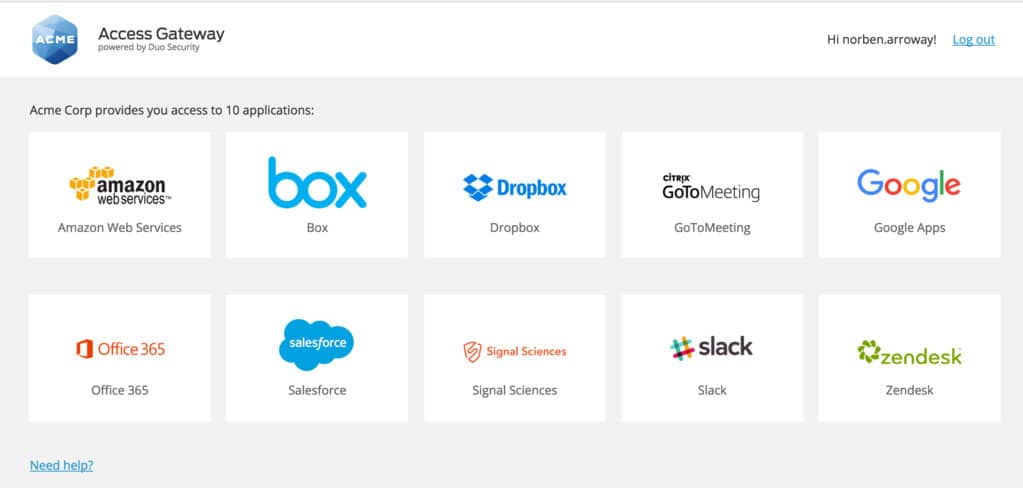
For me the hardest part is actually telling family what they could have access to - I wish there was something like https://duo.com/assets/img/leadin-images/sso_leadin_img.jpg but included all the content, apps and subscriptions we share, regardless of service provider. Whatever it is, it has to have tight integration with mobile and desktop computers so I and others can push notifications like, “Amy just signed up for NYTimes, add a shortcut and saved password?” Or a banner appears or customized Kagi results that could say, “Listen on Spotify,” if that’s what we have signed up for would be nice.
I’m thinking it might work like Apple’s notifications for health and/or activity sharing, where you get to see what others do, but instead you get to see what you have access to via the family, etc.
I tried setting up enterprise style accounts and domains and even a Google Site for this purpose and it went nowhere. Everyone already has logins and identities and half the problem is no one wants to visit “yet another website” just to find out what’s new. I haven’t tried making an app with push notifications and installing it on everyone’s devices with a web browser extension, but I also have to admit, I’m tempted to develop such a thing. Might also be useful for very small startups, etc.
Now we're using OurGroceries for grocery lists and just plain iOS Reminders for other stuff
It's been great until this week when I hit their ridiculously low limit: 300. That's not many tasks/notes, especially as each sub task is counted individually too.
Why is it so low? I'm a paying user. I'm probably burdening their servers with all of 10kB of text! It's such a gut punch, it makes me regret paying for it a little, just because of how petty and hostile it comes across and because of how needlessly disruptive it is to my usage.
If anyone from Todoist happens to see this, please bump that up by an order of magnitude or two. For premium users, at least. It's awful. It breaks your product for me.
https://todoist.com/help/articles/todoists-limits-for-tasks,...
I haven’t got my projects fully populated yet but 300 is definitely possible for some, eventually.
When I look at the enumerated limits I suspect a code/database issue rather than bean-counter logic… surely you can pack a whole lot of text into your cloud sync for 5 USD per month less Apple tax?
I used to use todoist but now use TickTick- similar but with some extra features. The non-premium is awful though, you have to sign up for a proper workable product (it is cheaper than todoist)
I'd never heard of macrofactor until now.
Please don't read this as me judging; if that works for you, great, I'd (as far as i understand it) not want that, but it's not my life.
I've got location shared with my siblings and parents too, both ways. And my SO has a similar thing with their siblings and parents.
It's all about trust, people don't stalk or continuously check where others are. We mostly use it to see whether to bother someone with a longer FaceTime call or if they're coming over we use it to check their ETA.
For us, it’s a fun way to see what each other is up to. The reason our grown and out-of-the-house kids leave it turned on is that we’ve never, not once, used it as a spy device.
Same.
> I check to see if my wife’s left work yet to know if I should start dinner
I (we) don't even do that, on purpose. If we want to know, we ask by message or call.
> The reason [...] leave it turned on is that we’ve never, not once, used it as a spy device.
I agree, it's all about trust. In my mind it's exactly like being a mail server sysadmin: by design you have access to all the emails but you never read them out of ethics. In that spirit: we have location-based automations set up in Home Assistant, and by default there's a geocoded location entity per tracked device, which I disabled, relying only on zone enter/leave events, carefully balancing privacy and convenience.
Now, the use case about leaving it on at all times is:
a) If you turn it off there's a chance you forget to turn it on. That's also why the new iOS check-in feature, while nice, doesn't cut it.
b) The most trivial reason: my wife frequently misplaces her phone (and other things, which recently got airtagged).
c) My wife works in a bar; let's not kid ourselves, the nightlife way back home carries additional risk: e.g bars close at about the same time, which generates a flux of drunk people in the streets, who are more prone to do dangerously idiotic or hostile things (from driving under influence to downright assault). While not frequent incidents are not unlikely either: over the course of two years there has been about a dozen, a few were life threatening; luckily she managed to either avoid, defuse, or escape such situations, but one day she might not and end up being unable to actively alert. Once while riding her bike to work she was hit-and-run by a car, dumb luck had it so that she was still conscious. Similarly I do sports like skateboarding, if by happenstance an accident happen and I'm knocked unconscious or otherwise unable to alert I can be found.
I also share location with some friends. I have one who is a professional photographer, and it's neat to see the interesting places she gets to go. Her mother also finds it comforting that I can find her if she's ever unresponsive for a long period of time. Another friend of mine was passing through my town, and saw I was home, so stopped by to visit. Unexpected and pleasant.
Your last point is key - it's totally fine to not want this feature, but it's nice for those of us who do. To each their own.
Out of interest, how do you use Bitwarden day-to-day - browser extension?
And then it went downhill, with several issues (including a huge javascript block added to each page which was really too slow). It was not aging well as well.
I moved to Bitwarden a few years ago, I self-host the solution but like it so much that I also bought the cloud one just to support the devs.
I looked at at several solutions for password management and BW is by far the one I like the most, especially the ability to create organizations to share vaults and passwords easily.
I use it in Windows (the native client), Chrome, Firefox and Android. It works just great.
the only tiny, tiny thing they could fix is the ability to swipe off the popup that helps you to fill in the info with Bitwarden that sometimes gets in the way of the form (on Android). It is very minor and I will take the opportunity to raise the point on the community now that I think of ot.
iCloud storage, Google plus, family setup so I don’t have to clean out inboxes or photo libraries too often for a family of 5. We do the Find My, shared notes, calendars and task in iCloud, but projects like vacation planing will be a Google doc since iCloud doc sharing is a bit squirrelly.
Shared password manager is key.
I would like notion, but there’s a fair bit of lockin with that format, and after Evernote I’m wary of building on sand.
So you can create a group email address such as family@smith.com that forwards to both john@smith.com and jane@smith.com and any other family members that’s part of the group. This is how we have it setup.
We also use it as a quick todo list for things that don’t go into the family asana
Other note- asana, mostly for repeating and long term scheduled tasks has been a huge family boon for us
We had the pay-for version for a year or two but it works just fine without as well!
AnyList lets us make shopping lists easily, add items as they run low (with previous items available to us, and check them off as we shop. There are some more sophisticated features we don't use like recipe imports and meal planning.
We also have lists for eg the hardware store, which notify us when we are nearby. And I use it for eg making packing lists for overnight trips.
https://joplinapp.org and https://www.hetzner.com/de/storage/storage-box
IANAL
$KID1@domain.com, $PET2@domain.com, $HOUSE1@domain.com, etc.
I like being able to just host things on my Synology NAS, set up usernames for people, and go "here's a reverse proxy'd URL, go nuts." While it makes me responsible for their data in a way, it feels like I'm helping.
I purchased foldersync for android to copy nightly photos off the phones to our nas to \name\yyyymm\ to backup our photos without relying on 3rd party sync. Solves the issue of losing videos/photos if a phone breaks. http://photos/ can browse them with photoview.
For me free software is more valuable: keepass, seafile, and paperlessngx with a printer that scans to it with a button and a scan@mydomain.tld has made a huge difference particularly to be paperless and has WAF.
I purchased an airgradient indoor + outdoor after multiple plugs here and it is helpful for deciding if we should open windows as sensitive to forest fire smoke so it also counts. (I will say it had damage when it arrived and it's been annoying having to reach out a couple times to see if it can be replaced.)
Finally, I recently added lunchmoney.app for finances but time will tell if it is more than a novelty.
Since then after I finished doing photo retouching with Lightroom Classic, my wife would use Photoshop and InDesign to design the photo book.
Other Adobe CC apps are at times very useful such as Premiere for Video editing videos we took during a vacation.
Investing into a system like this can be very expensive, not in the $ sense but more like time invested and vendor lock in. Once you invested the time to train in this tools it is very costly to migrate away from it as you become more busy with life. But then it is also very hard to find an alternative that does everything I need from Adobe. Adobe is an ecosystem and is an easy path to start.
Microsoft Office Family pack - I keep an eye out for discounts on this through the year so I don't think I've ever paid the sticker price. 1TB of storage for 6 users is a good thing, the kids know where to store their stuff, and Office is sometimes handy as well.
Affinity Photo - I'm never going to pay Adobe for a Photoshop subscription, and this competitor gets better over time.
Currently trying to migrate away from our password manager but need to find the time and energy to give 1Password a go.
We also use Keep Notes for general lists and shopping stuff - packing lists for trips away are really useful, as well as lists of jobs around the house.
We limited it to coloring apps until they have an opinion at which point it will be a game and followed by whatever game their friends are playing (we haven't opened up multiplayer, they are still just playing individually then bragging about it to each other at school. It's a small glimpse into my NES days, except I was a bit older.)
Either way, ours get about 10 minutes a week but that's up from 'only on airplanes and in airports' last year
Not in my bubble at least.
But also my 12 year old daughter is working on publishing her first iOS app on her own initiative. I’m sure they’ll do fine.
Bitwarden. A few private domains and dns hosting at Gandi.net. Tried namesilo but when compared to gandi it is just unusable.
Fastmail does our family email.
Recently got a Spotify family plan replacing our Tidal. And though I love tidal, Spotify has jumped leaps and bounds feature wise.
We paid for Todoist but didn’t use any of the paid features so stopped doing that. Plus Todoist does not show ticked items in a decent way. How do I know what child took out the trash? I don’t.
Minecraft. Four accounts.
Nextcloud, gitlab, Firefox, pihole, pivpn, are the main free software that have a positive impact on family life.
1password team account since it was cheaper when I signed up.
We don't bother with shared a calendar anymore, we kept missing events, so we just send invites to each other.
Occasionally we'll have a shared apple note but that process is painful to get setup! Still looking into a good solution for notes tbh Evernote would have been perfect but I've lost trust in them tbh
I really like Superhuman and Obsidian as well. I used to use notion, but I find obsidian to just work a lot faster and be more free form.
I pay for the Chatgpt subscription and we love it. Grammarly is pretty good but my wife mostly uses it.
Youtube Premium for no commercials is also really awesome.
On the other hand Notion makes it super easy for me to share a set of stuff with my family, like recipes or travel plans
On the other hand Obsidian's markdown-formatting is more for me
Later I added savings accounts to the list but the first two are the cornerstone of my budgeting.
No need to think about it; the budget's right there, so I can spend it without second guessing myself.
Also evaluating chatgpt, it's actually pretty good at some tasks.
Logseq, it's open source but i donate for it. Just mind blowing, brought me away from notion. When my wife asks "where did you put..." i check my #location tag. Same for food recipes, or how tall my daughter was 2 months ago, and so on.
Services based i would have to say Spotify. It's been a game changer for me over the years with an unhealthy habit of hoarding music.
Wife and I got iPhone 14 Pro, Apple Watch 8 and AirPods Pro. Got HomePod mini and Apple TV for home. We got bunch of home kit compatible tech at home (baby monitor, smart plugs, bulbs etc). We also subscribe to apple one family. The results are fantastic.
Everything works with everything else, which is impossible to explain without experiencing it. For example, none of the Apple ads/promotions will tell you that if you connect your phone with carplay and ask for directions, your watch will also be automatically a part of it and show you next turns. The watch will also gently vibrate when you are approaching a turn. This requires no configuration. It just works as is. We can ask my homepod to switch off the tv. We can use either of our phones or watches as remote to the TV. The video from baby monitor can be seen on our phones or TV (as pip), or on our watches if needed.
Usually every evening, we put the baby to sleep, switch on the TV, put on our AirPods, put the baby monitor video pip on top right corner of the TV and play a TV shows directly to our AirPods which can connect simultaneously to the TV. Again no config needed, it just works as it is. All we have to do is to login with our accounts (Even this is easy since you do it through phone)
I download shows/tv to my Mac, drag and drop to Apple TV app, they show up on the main TV over wifi. No casting etc. They just look and play as if they are streaming from Apple TV. I can put my phone on a stand, FaceTime with my family on the TV directly using my phone's camera and mic. It looks and works stunning - https://images.macrumors.com/t/0gxYFSdAW32RTme9jwsKnVnYidA=/.... iMessage and FaceTime are much much more reliable than WhatsApp and much higher quality. All my files are synced up between all my devices without any pain. I can copy text on my phone, and just paste it in my laptop and vice versa. I can right click on my Mac to insert image from iPhone Camera. You can use your iPhone camera on your laptop for teams/zoom calls. When we both leave the home, everything (lights, fans, AC etc) switches off and the entrance lights switch on when we come back automatically. we can control all apple home devices from any of our phones, watch, Siri on AirPods, home pod, MacBooks, etc. and every one of the device with microphone responds to "Hey Siri" keyword.
I don't know about Apple hardware as standalone devices, but the who ecosystem is just bloody brilliant. I just cannot go back to the old way of sitting and configuring each device and bluetooth pairing etc. Since we made this switch in March my productivity has gone through the roof.
It can play media off pretty much anything. I use it to connect to multiple Plex instances (I have a System :D) and I've added a few local folders along with OneDrive and Dropbox to it.
It has apps for macOS, tvOS iPadOS and iOS that sync between each other.
So in your case you could just use Infuse on Apple TV and connect it to a directory on your Mac, then play stuff directly from that share.
I presume these are shows that you’ve downloaded/bought from Apple? If yes, then I’m guessing it’s just synced from your purchases and is downloading and playing from there.
Or does Apple somehow allow shows/movies from other sources to be downloaded and played on the TV App (like a VLC equivalent)? I doubt Apple would enable something like this.
Audio transcription with auto summarization. Saves me tons of time and edfort.
I’d miss each of them if I couldn’t access them and had to switch to an alternative
The whole time I was think "this thing can predict the future" cause I could see sharp turns and straight roads before hand. Simpler times...
edit: to be fair the software is free but bought the obd2 adapter
My son and I had a great time with it when he was 6...